
Kanban vs. Scrum vs. Scrumban: Comparison
Kanban vs. Scrum vs. Scrumban: Comparison
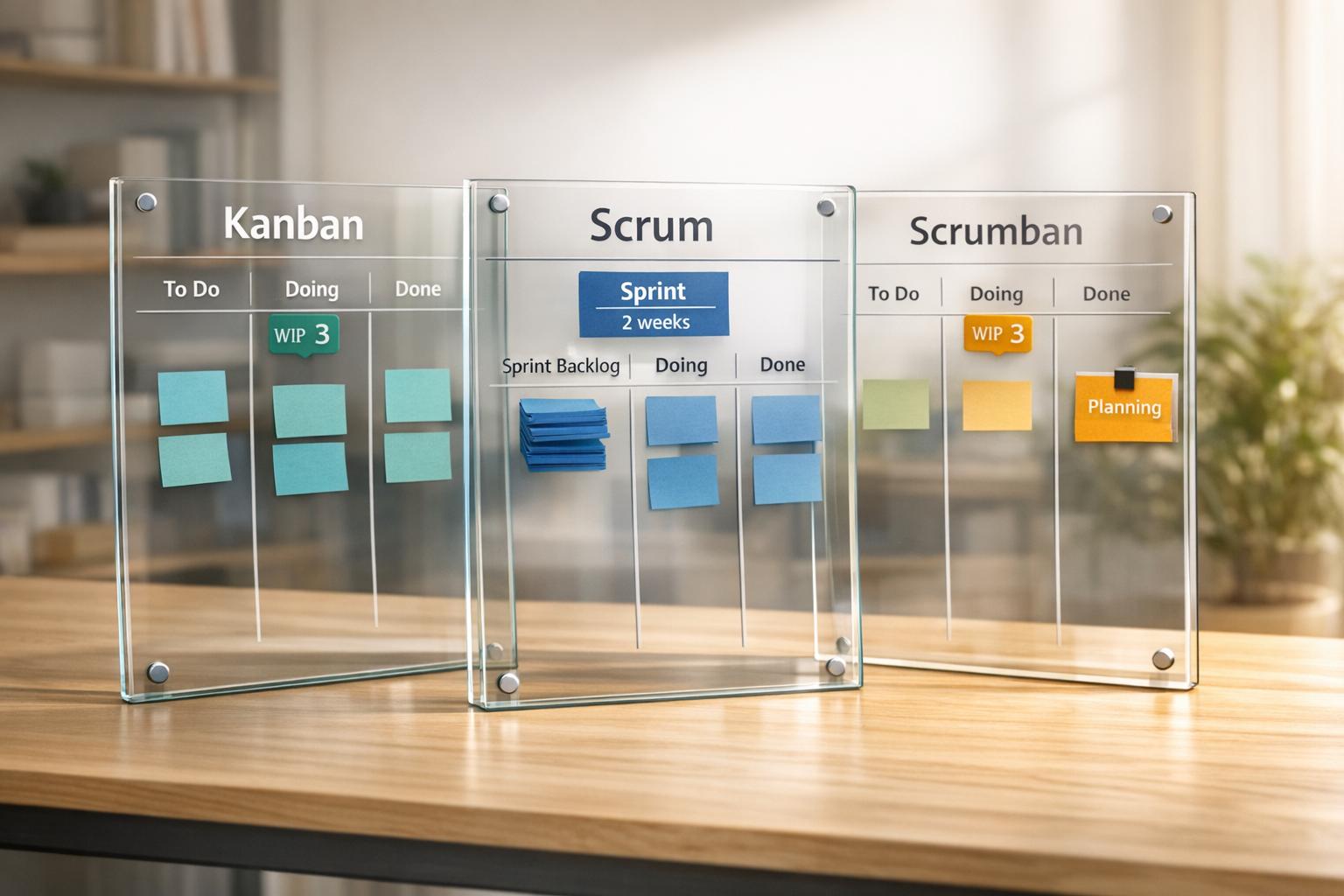
Kanban, Scrum, and Scrumban are popular Agile methodologies used to manage workflows in software development. Each offers unique benefits and fits different team needs:
- Kanban: Focuses on continuous task flow, visual boards, and limiting work-in-progress (WIP). Ideal for teams with unpredictable workloads or operational tasks.
- Scrum: Uses fixed-length sprints (1–4 weeks), defined roles (Product Owner, Scrum Master, Developers), and structured ceremonies. Best for teams needing predictable progress and regular feedback cycles.
- Scrumban: Combines Kanban’s flexibility with Scrum’s structure. Uses trigger-based planning and optional roles, making it suitable for teams balancing planned work with unexpected tasks.
Quick Comparison
| Feature | Kanban | Scrum | Scrumban |
|---|---|---|---|
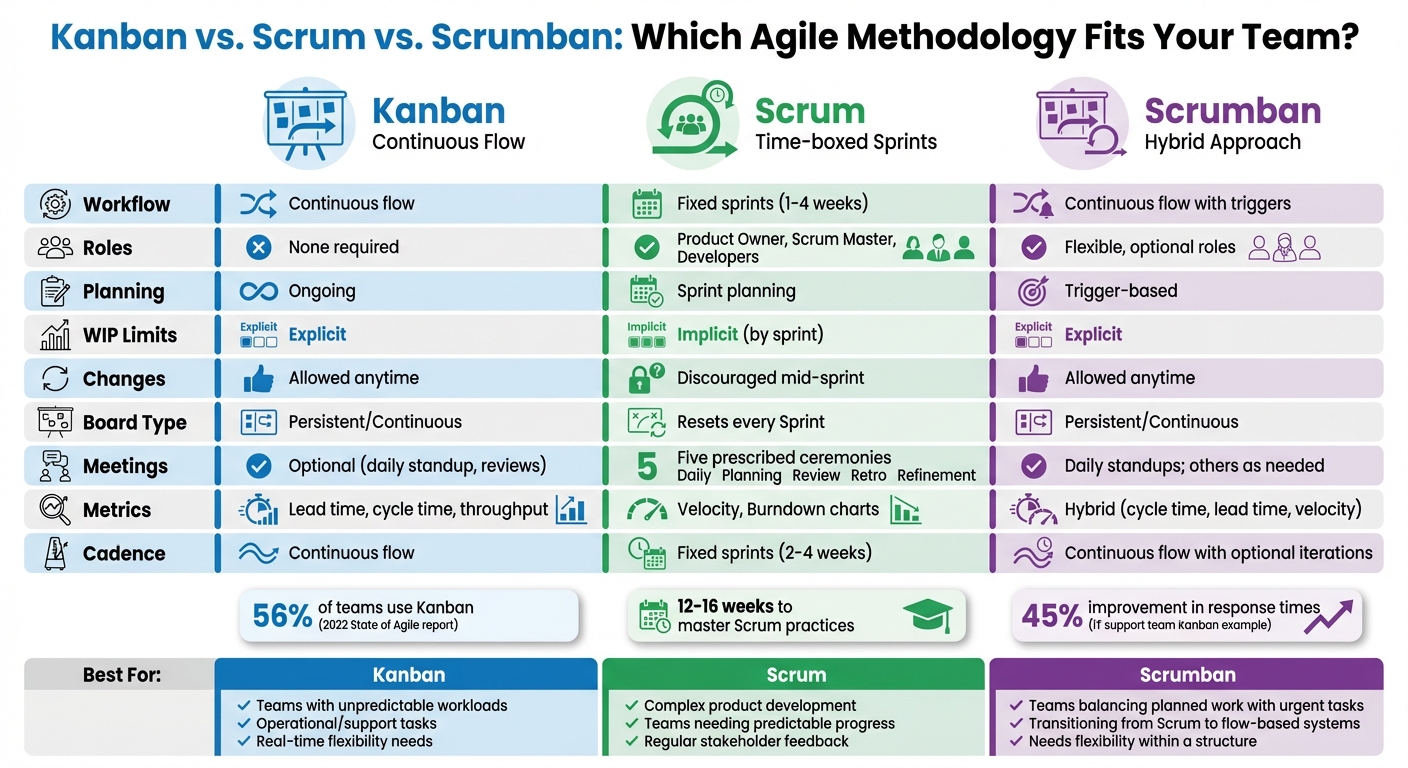
| Workflow | Continuous flow | Fixed sprints (1–4 weeks) | Continuous flow with triggers |
| Roles | None required | Product Owner, Scrum Master, Developers | Flexible, optional roles |
| Planning | Ongoing | Sprint planning | Trigger-based |
| WIP Limits | Explicit | Implicit (by sprint) | Explicit |
| Changes | Allowed anytime | Discouraged mid-sprint | Allowed anytime |
Choose Kanban for real-time flexibility, Scrum for structured progress, or Scrumban for a blend of both. Each framework suits different team dynamics and project demands.
Kanban vs Scrum vs Scrumban: Complete Methodology Comparison Chart
What is Kanban?
Kanban is a workflow management method that uses visual tools to help teams track tasks as they progress through various stages. It’s all about making work visible and managing capacity effectively. Unlike approaches that rely on fixed time frames, Kanban operates on a continuous flow - tasks are delivered as soon as they’re done. This method traces its roots back to Toyota’s manufacturing system in the late 1940s, where "signboards" were used to streamline inventory management and boost efficiency.
Typically, teams use a Kanban board with columns like To Do, In Progress, and Done to monitor task status. Atlassian describes Kanban as a system focused on "visualizing your work, limiting work in progress, and maximizing efficiency (or flow)".
Core Principles of Kanban
Kanban operates on a few essential principles. The first is mapping out your current workflow. This helps teams identify bottlenecks and monitor progress. Another key principle is limiting work-in-progress (WIP). By capping the number of tasks allowed in each stage, teams avoid overload and multitasking. As the Miro Team puts it, "The power of Kanban is in its constraints. By limiting how much work can be 'in progress' at any stage, Kanban exposes bottlenecks". A common starting point for teams is to measure their current workload and set limits at around 80% of that level, which can highlight inefficiencies.
Other principles include managing the flow of work, defining clear progress criteria, incorporating regular feedback, and committing to ongoing improvements.
Benefits of Kanban in Software Development
Kanban’s adaptability makes it especially useful for software teams dealing with unpredictable workloads. According to the 2022 State of Agile report, 56% of respondents were using Kanban. One of its strengths is the ability to reprioritize tasks on the fly. High-priority items can be added to the backlog and pulled into the workflow as capacity allows, avoiding the rigidity of pre-planned iterations. With its pull-based system, new tasks are only started when there’s available capacity, which helps reduce context switching and keeps the team focused.
Instead of measuring velocity, teams use metrics like cycle time (how long it takes to complete a task) and lead time (time from request to delivery). Amy Reichert, a Freelance QA SME at Applause, explains, "Kanban is a low-stress version of Agile work management. Work tasks move across the board based on team rules, but without the stress of a time-boxed deadline".
Kanban’s evolutionary nature allows teams to start with their existing processes and improve gradually. This makes it particularly effective for maintenance, support, and operations teams, where work arrives continuously, and priorities frequently change. Its clear workflow structure provides a solid foundation for comparing Kanban to other Agile methods.
What is Scrum?
Scrum is a framework designed to manage complex projects through short, structured cycles called sprints, which typically last one to four weeks. Introduced in 1995, Scrum emphasizes teamwork, iterative progress, and continuous feedback. Unlike Kanban's ongoing workflow, Scrum operates within fixed-length sprints to deliver work in smaller, more manageable chunks. As Scrum.org explains, "Scrum is a way to get work done as a team in small pieces at a time, with continuous experimentation and feedback loops along the way to learn and improve as you go."
At its core, Scrum relies on three principles: transparency, inspection, and adaptation. These principles ensure decisions are grounded in real-world observations and experiences rather than relying on extensive upfront planning. Additionally, Scrum is guided by five values: Courage, Focus, Commitment, Respect, and Openness. These values, combined with its structured approach, make Scrum a powerful tool for teams tackling complex projects.
Core Components of Scrum
Scrum’s structure revolves around three key elements: roles, events, and artifacts.
-
Roles: The Scrum Team includes three specific roles:
- Product Owner: Focuses on maximizing business value by managing and prioritizing the Product Backlog while serving as the voice of the customer.
- Scrum Master: Acts as a facilitator, ensuring the team adheres to Scrum principles and removing obstacles that could hinder progress.
- Developers: Responsible for turning backlog items into a working product increment. They are self-organizing and share accountability for delivering results.
-
Events: Scrum introduces five structured, time-boxed events:
- Sprint: A fixed period (up to one month, often two weeks) where all other events occur. It provides a clear timeframe for delivery.
- Sprint Planning: Sets the sprint’s goals by determining what work will be done and how it will be achieved.
- Daily Scrum: A short, daily meeting where developers align and plan their next steps.
- Sprint Review: Held at the end of the sprint to gather feedback on the completed work.
- Sprint Retrospective: Focuses on refining the process for future sprints.
-
Artifacts: Scrum produces three essential artifacts:
- Product Backlog: A prioritized list of features and improvements.
- Sprint Backlog: A selection of tasks chosen for the sprint, along with a plan for completing them.
- Increment: A completed piece of the product that meets the agreed-upon "Definition of Done."
Benefits of Scrum in Software Development
Scrum’s structured approach brings several advantages, particularly in software development. Its sprint-based rhythm ensures predictability, with regular milestones for planning, review, and delivery. This makes it easier for teams to forecast progress and manage budgets effectively. By breaking down large, complex tasks into smaller pieces, Scrum allows teams to adapt quickly to feedback, delivering value incrementally rather than waiting for a lengthy final release.
The framework’s clearly defined roles foster accountability while encouraging self-organization. Instead of relying on a traditional manager, leadership is distributed among the team, empowering members to collaboratively achieve their goals. This approach is especially useful for projects where requirements are likely to change, and ongoing feedback from stakeholders is critical.
Another notable aspect of Scrum is its focus on maintaining stability during a sprint. Once the sprint begins, changes that could jeopardize the Sprint Goal are discouraged. This provides the team with a clear focus and contrasts with Kanban’s more flexible, continuous flow approach.
What is Scrumban?
Scrumban, introduced in 2008 by Corey Ladas, bridges the gap between Scrum and Kanban. It’s not just a mix of the two but a thoughtful blend that combines Scrum’s structured coordination with Kanban’s continuous workflow. As Kanban Tool puts it, "Scrumban exists in between the two - not as a compromise, but as a synthesis - a trick for teams to adopt Scrum's coordination benefits together with Kanban's flexibility and throughput optimization".
This approach tackles common challenges teams face when using only Scrum or Kanban. Scrum’s fixed sprints can feel restrictive when priorities shift, while Kanban’s continuous flow might lack strategic checkpoints. Scrumban offers a balanced alternative, allowing for dynamic priority changes without losing structure.
How Scrumban Combines Kanban and Scrum
Scrumban takes the visual clarity of Kanban’s board (think columns like "To Do", "Doing", and "Done") and pairs it with Scrum’s short, flexible iterations. It also enforces work-in-progress (WIP) limits to prevent bottlenecks and maintain focus.
One standout feature of Scrumban is on-demand planning. Instead of sticking to fixed planning sessions, teams plan only when the "To Do" column drops below a set threshold. This keeps planning efficient while ensuring there’s always work ready to go. Scrumban also uses a pull-based system, where team members take on tasks based on their capacity rather than having tasks assigned to them.
Another notable aspect is its relaxed approach to roles. Unlike Scrum, where roles like Scrum Master and Product Owner are defined, Scrumban allows teams to either make these roles optional or share responsibilities among members. This flexibility lets teams adapt their structure as needed.
Benefits of Scrumban in Software Development
Scrumban shines in fast-paced environments where priorities frequently change. It’s especially useful for teams balancing planned projects with unexpected tasks. By combining structure with adaptability, Scrumban offers a practical solution for teams looking to stay organized while remaining responsive to evolving requirements. This sets the stage for a closer look at how it compares to Scrum and Kanban.
Kanban vs. Scrum vs. Scrumban: Key Differences
To help determine the best fit for your team, let’s break down how these methodologies compare. As Abhay Talreja from TeachingAgile puts it:
"The 'Kanban vs Scrum' debate isn't about superiority, but more about adaptability and fit".
Here’s the gist: Scrum operates with fixed sprints (typically 2–4 weeks), where work is planned upfront and changes are kept to a minimum. Kanban and Scrumban, on the other hand, follow a continuous flow model, allowing priorities to shift as needed.
Roles also vary across these methods. Scrum requires specific roles like Product Owner, Scrum Master, and Developers. Kanban is more flexible, letting the team self-organize. Scrumban takes a middle ground, incorporating roles as needed .
Planning is another area where these methods differ. Scrum relies on Sprint Planning at the start of each cycle. Kanban adds tasks as capacity frees up, while Scrumban uses trigger-based planning - new tasks are added when the "To Do" column hits a certain threshold. This gives Scrumban a balance between structure and adaptability .
Comparison Table: Roles, Boards, and Process
Here’s a quick look at how these approaches stack up:
| Feature | Scrum | Kanban | Scrumban |
|---|---|---|---|
| Cadence | Fixed sprints (2–4 weeks) | Continuous flow | Continuous flow with optional iterations |
| Roles | Product Owner, Scrum Master, Developers | No prescribed roles | Flexible; roles added as needed |
| Board Type | Resets every Sprint | Persistent/Continuous | Persistent/Continuous |
| WIP Limits | Implicit (based on Sprint capacity) | Explicit (per column) | Explicit (per column) |
| Planning | Sprint Planning at start of Sprint | Continuous/on-demand replenishment | Trigger-based (when WIP falls) |
| Meetings | Five prescribed ceremonies | Optional (daily standup, reviews) | Daily standups; others as needed |
| Metrics | Velocity, Burndown charts | Lead time, cycle time, throughput | Hybrid (cycle time, lead time, velocity) |
| Change Policy | No changes during Sprint | Changes allowed anytime | Changes allowed anytime |
When to Choose Kanban, Scrum, or Scrumban
Scrum is a great option when building a complex product from scratch and you need a predictable release schedule. It’s particularly beneficial for teams new to Agile, as it provides clear structure and defined roles. Scrum also includes regular checkpoints like Sprint Reviews to gather stakeholder feedback. However, it requires disciplined practices, and research shows it can take teams 12–16 weeks to establish a solid routine.
Kanban is ideal for teams handling operational or support work, where tasks arrive unpredictably, and priorities can shift in real time. For example, an IT support team improved response times by 45% after adopting Kanban. Its flexibility and minimal meeting requirements make it well-suited for environments that demand continuous workflow.
Scrumban works best for teams transitioning from Scrum to a more flow-based system or those juggling long-term projects alongside urgent support tasks. It’s especially helpful for mature teams that have mastered Scrum but face bottlenecks in their workflow. As Corey Ladas explains:
"Scrumban was created as a means of transitioning a development team from Scrum to Lean or Kanban".
Deciding between these approaches often comes down to one question: Do you need to handle urgent changes immediately? If yes, Kanban or Scrumban might be a better fit than Scrum, which discourages mid-Sprint changes to maintain focus . As Gartner analysts Andy Kyte, David Norton, and Nathan Wilson put it:
"Agile is not 'better'; it is simply better-adapted to some problems, but not so well-adapted to others".
This comparison lays the groundwork for exploring tools that can support these methodologies in the next section.
Tools for Kanban and Scrumban Workflows
Choosing the right tool for your team's workflow is critical. Kanban-based workflows rely on visual boards that serve as a "single source of truth", allowing software teams to track tasks in real time and quickly identify blockers. The ideal tool should align with your team's capacity while avoiding unnecessary complexity. With this in mind, let’s explore how malife simplifies these workflows.
How malife Supports Kanban and Scrumban
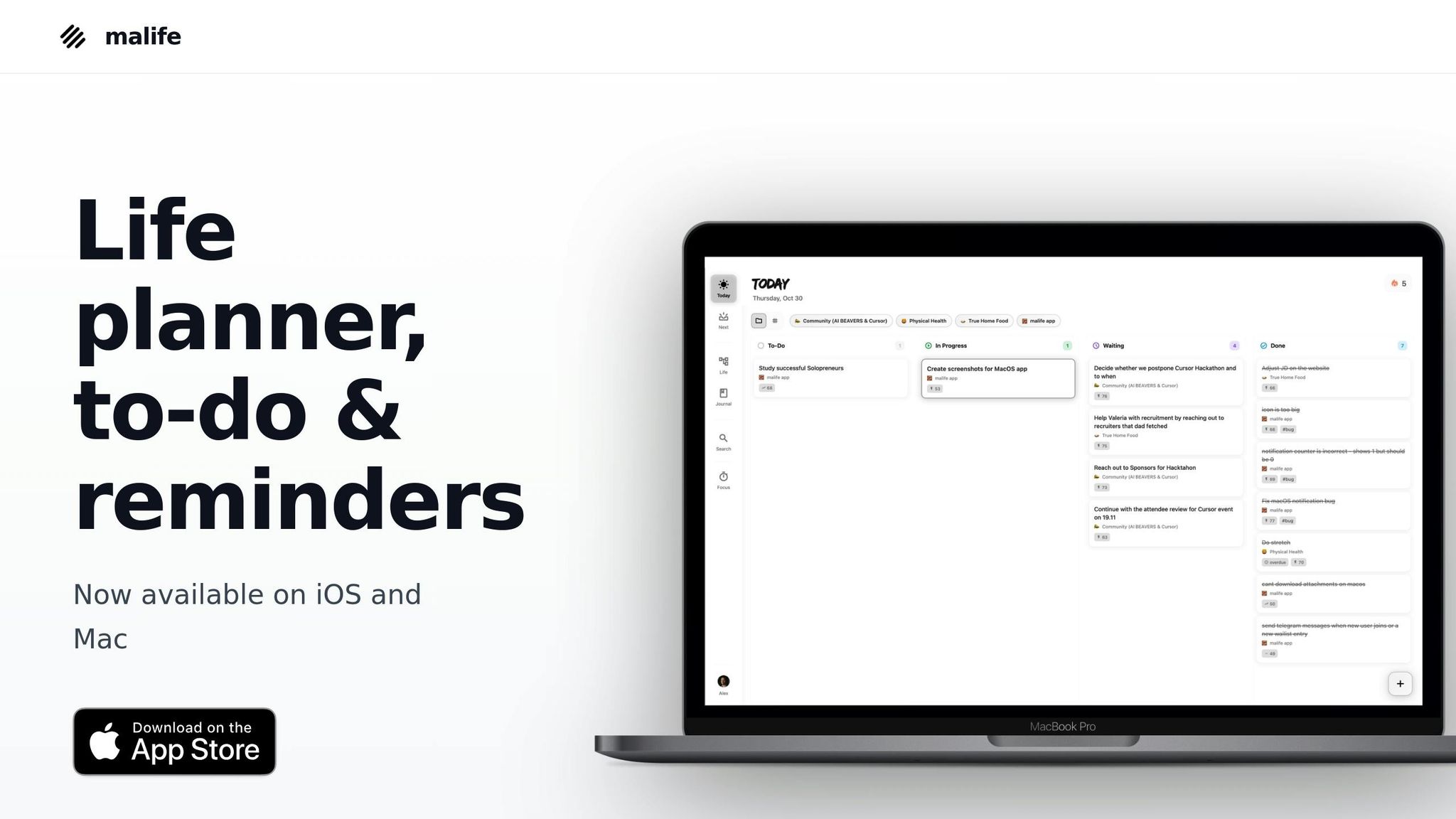
malife's Today & Next views are designed around the pull system, a cornerstone of Kanban and Scrumban. Instead of overwhelming developers with an endless backlog, these views focus attention on what matters now (Today) and what’s on the horizon (Next). This structure helps minimize multitasking and context switching, which are common productivity killers in complex development work.
The app also incorporates WIP-inspired prioritization, enabling teams to limit active tasks to match their actual capacity. This is especially helpful for teams juggling diverse work, such as feature development alongside urgent bug fixes. By adhering to the principles of Kanban and Scrumban, malife ensures workflows remain efficient and manageable.
Built on the Getting Things Done (GTD) methodology, malife reduces the mental load of managing multiple projects. Features like voice capture allow developers to log tasks quickly without losing focus, while persistent reminders (+10m, +1h, +1d) ensure no task is forgotten during sprints or continuous delivery cycles.
Using malife in Software Development
The Impact vs. Effort prioritization feature is a game-changer for deciding which user stories to tackle first. This is particularly useful in Scrumban environments, where there may not be a dedicated Scrum Master to guide prioritization. Teams can collaboratively evaluate tasks to determine which ones will deliver the most value without overloading developers.
For teams transitioning from Scrum to a continuous flow approach, malife offers flexibility. The Today view can mimic a daily sprint, while the Next view supports ongoing flow - providing structure when needed and adaptability when priorities shift. These features address the dynamic nature of software projects, where priorities and requirements often evolve.
Additionally, malife’s Life Areas feature helps teams organize tasks by context - separating work into categories like feature development, maintenance, technical debt, and support. This aligns with the Kanban concept of "Classes of Service", which categorizes tasks (e.g., "Expedite" for urgent bugs, "Standard" for features) to manage unexpected issues without disrupting the overall workflow.
Choosing the Right Approach for Your Team
Key Takeaways
Deciding between Kanban, Scrum, and Scrumban comes down to aligning with your team's workflow and needs. Here's a breakdown:
- Scrum is ideal for teams working on complex products with stable requirements that fit into 1–4 week cycles. It relies on defined roles - Product Owner, Scrum Master, and Developers - and structured feedback loops. Teams often take 12–16 weeks to master Scrum's discipline, but it works well when stakeholders need consistent updates and progress reports.
- Kanban shines when tasks arrive unpredictably, such as support tickets, bug fixes, or maintenance work. It’s great for operations, infrastructure, or platform teams since it lets you visualize your current workflow without requiring role changes or structural adjustments. Its flexibility is perfect for teams with shifting daily priorities.
- Scrumban serves as a middle ground for teams handling both planned work (like feature development) and reactive tasks. It’s particularly useful for mature teams transitioning from Scrum to Kanban or those who find Scrum too rigid but Kanban too unstructured. Scrumban’s adaptability makes it a strong choice for teams with mixed workloads.
For teams struggling to choose an Agile framework, Scrumban offers a customizable approach that balances structure and flexibility, making it an appealing option in many scenarios.
Next Steps for Implementation
To move forward, start by analyzing how work arrives for your team. If interruptions make it hard to stick to a two-week plan, Kanban or Scrumban can help you avoid the frustration of "failing" sprints. On the other hand, if you're building a new product with predictable cycles, Scrum provides the structure and regular feedback you need.
Consider running a three-month pilot with your chosen framework before committing long-term. Use metrics like cycle time (for Kanban), velocity (for Scrum), or both (for Scrumban) to evaluate how well the approach works for your team. For teams just starting with Agile, Scrum’s structured ceremonies can help establish discipline. More experienced teams might prefer Kanban’s lightweight approach with minimal overhead.
If you’re leaning toward Kanban or Scrumban, tools like malife can simplify implementation. Features like the Today & Next views help manage pull systems, while the Impact vs. Effort prioritization tool aids decision-making without requiring a dedicated Scrum Master. Additionally, the Life Areas feature helps organize tasks by context, making it easier to balance planned work with urgent issues. This ensures smoother workflows and better prioritization.
FAQs
How can I choose between Kanban, Scrum, and Scrumban for my team?
Choosing the right approach - Kanban, Scrum, or Scrumban - depends on your team’s workflow, project demands, and how much structure or adaptability you need.
Scrum works well for teams that prefer a structured framework with regular planning cycles. It relies on timeboxed sprints, clearly defined roles, and specific ceremonies to promote feedback and ongoing improvement. This makes it an excellent fit for projects with well-defined goals and predictable timelines.
Kanban, on the other hand, prioritizes flexibility and a continuous flow of work. By visualizing tasks and limiting work-in-progress (WIP), it helps teams improve efficiency and maintain a steady pace. It’s ideal for teams that need adaptable workflows without rigid roles or fixed timeframes.
Scrumban combines the structure of Scrum with the adaptability of Kanban, offering a hybrid solution. This approach is especially useful for teams in dynamic environments or those transitioning from Scrum to Kanban, as it allows workflows to adjust and grow over time.
Think about your team’s unique requirements and consider experimenting with options like Scrumban to discover what works best for your projects.
What makes Scrumban more versatile than Scrum or Kanban?
Scrumban is known for its flexible approach, making it a great fit for projects where priorities and needs can shift frequently. It combines the structured roles and planning of Scrum with the continuous flow and work-in-progress (WIP) limits from Kanban, creating a system that thrives in dynamic environments.
This blend allows teams to stick to a clear structure while easily adapting to changes. By merging Scrum's stability with Kanban's adaptability, Scrumban enhances workflow efficiency and supports steady, incremental progress. It's especially useful for teams handling complex, ongoing projects where priorities often fluctuate.
Can Kanban and Scrumban adapt to changing project priorities?
Yes, both Kanban and Scrumban work well for handling frequent shifts in project priorities. Kanban emphasizes a continuous workflow, giving teams the freedom to adjust tasks as priorities change. On the other hand, Scrumban, blending elements of Scrum and Kanban, provides the structure of Scrum while maintaining the flexibility of Kanban. This makes it easier to reorganize tasks without interrupting the team's momentum.
These approaches are especially useful in fast-paced environments where priorities can change often, helping teams remain efficient and focused on current objectives.