
How to Track Goals Using Kanban and GTD
How to Track Goals Using Kanban and GTD
Managing tasks and goals can feel overwhelming, but combining Kanban and Getting Things Done (GTD) offers a simple and effective solution. Kanban provides a visual workflow, while GTD helps organize tasks systematically. Together, they streamline how you prioritize, track, and complete tasks.
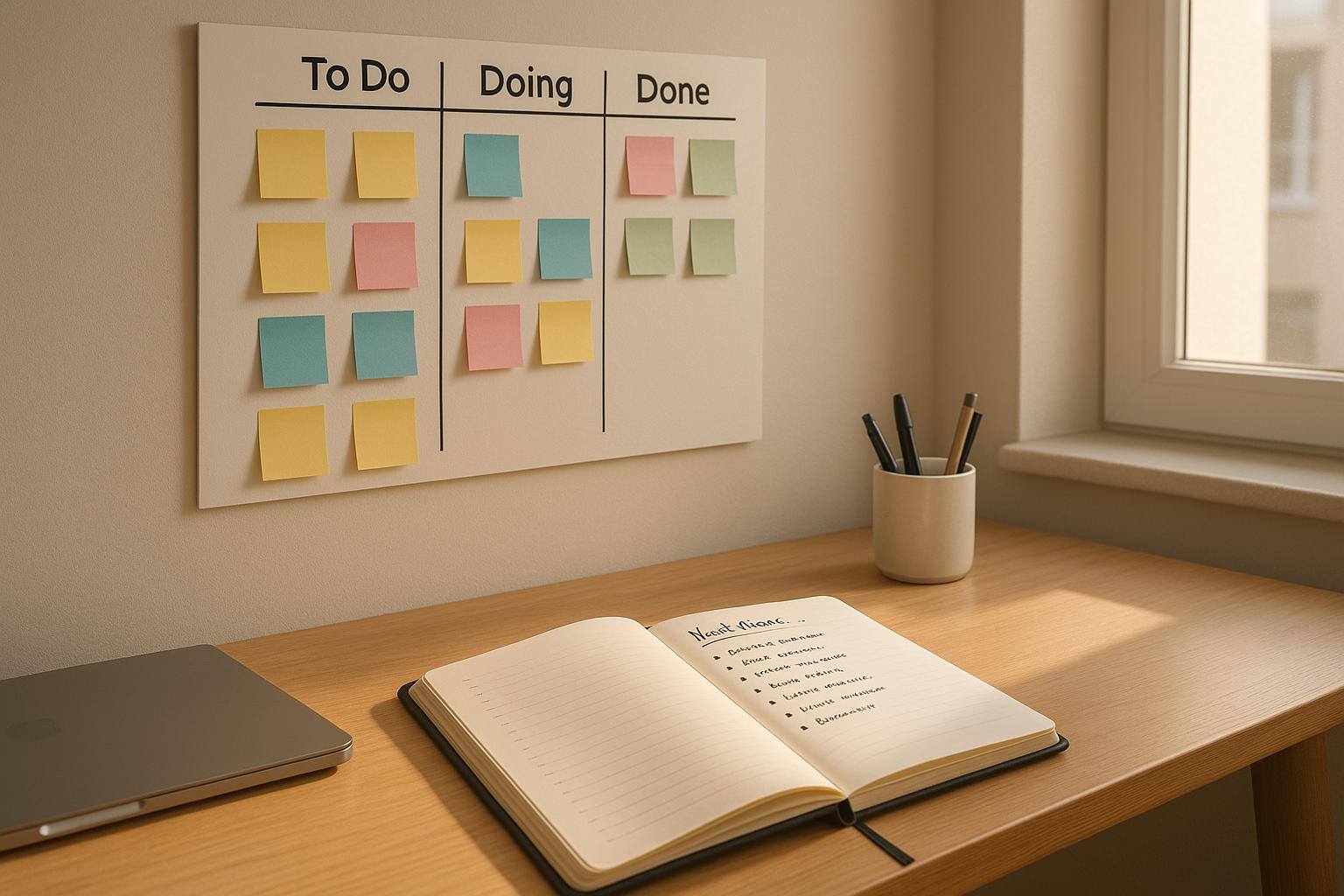
- Kanban: Use columns like To Do, Doing, and Done to visualize progress and limit work-in-progress (WIP).
- GTD: Follow its five steps - Capture, Clarify, Organize, Reflect, and Engage - to break down tasks and stay organized.
- Why Combine Them: GTD identifies what tasks need attention, and Kanban visually tracks their progress, reducing overwhelm and improving focus.
Start by setting up a Kanban board with columns like Backlog, Next Actions, In Progress, Waiting For, and Done. Populate it with tasks using GTD’s method, prioritize based on impact and effort, and review progress daily and weekly. Tools like malife can further simplify this process by integrating both systems into a single platform.
This combination keeps you focused, organized, and steadily moving toward your goals.
How to Set Up Your Kanban Board with GTD
How to Set Up a Kanban Board with GTD Workflow
To align your Kanban board with the GTD (Getting Things Done) method, structure your columns to reflect your workflow. This setup ensures tasks are clearly categorized - whether they need attention, are in progress, or are pending. Here's how to get started.
Create Columns for Your Workflow
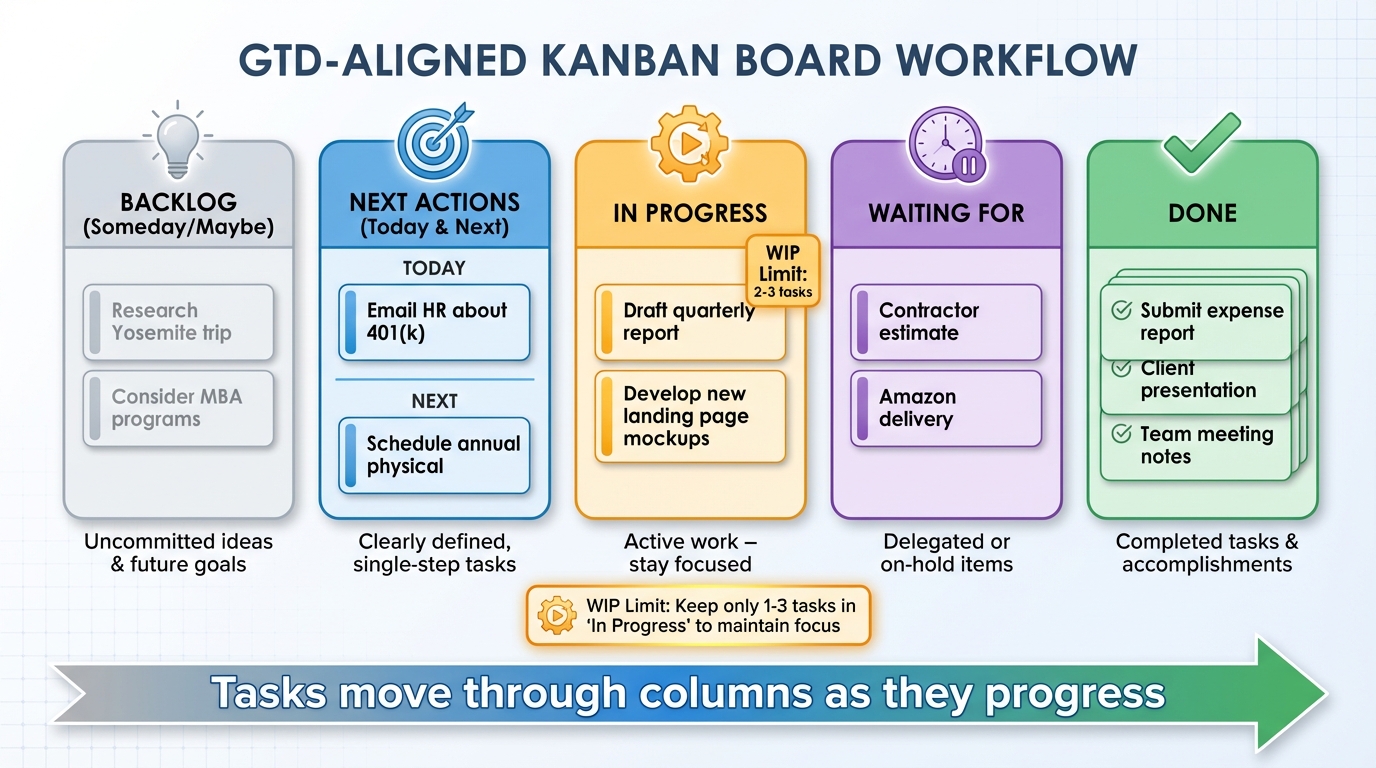
A GTD-inspired Kanban board typically features five columns: Backlog (Someday/Maybe), Next Actions (Today & Next), In Progress, Waiting For, and Done.
- Backlog: This is where you store uncommitted ideas or goals, like "Research Yosemite trip" or "Consider MBA programs." These are tasks you're not ready to act on but want to keep in mind.
- Next Actions: This column is for clearly defined, single-step tasks you can tackle immediately, such as "Email HR about 401(k) match details" or "Schedule annual physical with Dr. Smith (call clinic)." You can split this into Today, for tasks you'll handle that day, and Next, for tasks you plan to address later in the week.
- In Progress: This column should hold only two or three tasks at a time to help you stay focused and avoid spreading yourself too thin.
- Waiting For: Use this to track tasks you've delegated or are waiting on, like "Waiting for contractor estimate for bathroom remodel" or "Waiting for Amazon delivery: standing desk."
- Done: This column serves as a record of completed tasks, offering a sense of accomplishment and a useful reference during weekly reviews.
You can create your board using a physical whiteboard with sticky notes, which is great for visual thinkers, or go digital with tools that sync across devices and offer reminders. Choose the format that best suits your style and the scale of your projects.
Capture and Organize Your Tasks
Once your board is ready, it’s time to populate it with tasks. Begin with a 15–30 minute brain dump to capture everything on your mind - work projects, errands, appointments, and more. Don’t worry about organizing during this step; just focus on getting it all out.
Next, clarify each item by asking, “What is this? Is it actionable? If so, what’s the next physical action?” If an item isn’t actionable, either discard it, file it for reference, or move it to the Backlog. For actionable items that take less than two minutes, complete them right away. Tasks requiring multiple steps should be treated as projects - identify the next action and add it to your board.
Assign each task to the appropriate column: Backlog for future ideas, Next Actions for immediate tasks, Waiting For for delegated or on-hold items, and In Progress for tasks you’re actively working on. Many digital tools simplify capturing tasks with features like voice input or keyboard shortcuts (e.g., ⌘+N on Mac). For instance, you can dictate, "Call tax advisor tomorrow for money life area, high priority", and the tool will organize it automatically.
Finally, set a work-in-progress (WIP) limit for your In Progress column - usually one to three tasks. This ensures you complete what you start before taking on new work, staying true to GTD’s focus on actionable tasks. When a task is finished or handed off, move it to Done or Waiting For to keep your workflow smooth and your focus sharp.
How to Map Goals to Kanban Columns
Once your board is organized, it's time to connect your goals to actionable steps. Turn your goals into cards that move through your board, breaking big objectives into smaller, manageable tasks. Organize these tasks based on the areas of your life they influence and decide what deserves your immediate attention.
Break Goals into Projects and Tasks
Start by identifying your big annual goals - things like "Run a half marathon in October" or "Save $6,000 for the year." According to GTD (Getting Things Done), a project consists of more than one action. Break these annual goals into smaller, actionable steps: quarterly targets, monthly focuses, and specific tasks to tackle next.
Each task becomes a card that moves through your Kanban columns - Backlog, Next Actions, In Progress, and Done. For instance, if your goal is saving $6,000 this year (about $500 a month), you could create a project like "Set up a monthly savings plan." Quarterly targets might include "Reduce fixed expenses by $150/month by March" or "Boost side income by $200/month by June." Monthly focuses could be things like "Audit subscriptions in January" or "Sell unused items in February." On your board, tasks might include "Cancel unused streaming service" in Next Actions, "Call internet provider to negotiate a lower rate" in In Progress, and "Opened a new savings account" in Done.
For simpler goals that only need one or two steps, like "Update your résumé", treat them as single cards with a checklist. One-off tasks, such as "Schedule annual physical", can be added directly to your board under the relevant Life Area (like Health) and moved through the columns without creating a full project.
Group Goals by Life Areas
Define the main areas of your life - such as Work, Health, Finances, Relationships, Personal Growth, Home, and Fun/Leisure. Assign each project or task to a specific Life Area. To keep things organized, you can color-code cards (e.g., blue for Work, green for Health), use swimlanes or sections within your columns, or even create separate boards if you have a lot on your plate.
For example, if your Life Areas include Work, Health, Relationships, and Home, your board might look like this:
- Work: A goal like "Deliver Q3 marketing campaign" might include tasks such as "Draft July email copy" and "Meet with designer about the landing page" in Next Actions.
- Health: A goal like "Walk 8,000 steps daily by June" could have tasks like "Buy comfortable walking shoes" and "Schedule 20-minute walks after lunch Monday through Friday."
- Relationships: A goal to "Spend more quality time with family" might include a task like "Set a weekly family dinner night."
- Home: A goal like "Declutter the apartment by April 30" might involve tasks like "Fill one donation box from the bedroom closet", which could be in In Progress.
All these tasks live in shared columns - Backlog, Next Actions, In Progress, and Done. Using color-coding or sections lets you quickly see if one area, like Work, is taking over at the expense of others, like Health or Relationships. During weekly reviews, this visual setup helps you spot imbalances and make adjustments.
With your tasks grouped, the next step is to figure out which ones deserve priority based on their impact and effort.
Prioritize Using Impact vs. Effort
Deciding what to tackle first is easier when you evaluate each task by its impact on your goals and the effort it requires.
Use a simple 2×2 grid: High Impact/Low Effort, High Impact/High Effort, Low Impact/Low Effort, and Low Impact/High Effort. Focus on High Impact, Low Effort tasks first - these are quick wins that move you closer to your goals without much hassle. For High Impact, High Effort tasks, schedule dedicated time since they often require deeper focus. As for Low Impact, Low Effort tasks, batch or delegate them when possible, and for Low Impact, High Effort tasks, consider eliminating or rethinking them altogether.
For example:
- "Set up $100 weekly transfer" (high impact, low effort)
- "Reformat slide deck" (low impact, medium effort)
- "Schedule annual physical exam" (high impact, low effort)
In this case, the first and third tasks would move into Today/Doing, while the slide deck task stays in Backlog or goes on a Later/Someday list. Focusing on tasks from the high-impact quadrants ensures your Kanban board reflects what truly matters, keeping your workload aligned with your goals.
How to Track Progress with Kanban and GTD
Once your board is set up and tasks are prioritized, the next step is keeping everything moving smoothly and making steady progress toward your goals. Tracking progress involves maintaining a clear view of active tasks and quickly identifying anything that’s stuck.
Daily Updates and Weekly Reviews
Start your day by updating your board. Move 3–5 tasks from the "Next Actions" column to the "In Progress" column, keeping your work manageable. At the end of the day, review what you’ve completed and update your board accordingly. This daily habit reinforces the principles of Getting Things Done (GTD) while taking advantage of Kanban's visual workflow.
Weekly reviews are your chance to step back and reassess. Dedicate 30–60 minutes to process your inbox, update task statuses, and handle any stalled tasks. For tasks that are stuck, decide whether to push them forward, archive them, or remove them entirely. Take a moment to acknowledge the tasks you’ve moved to "Done" and plan your "Next Actions" for the upcoming week. These reviews ensure your GTD system stays relevant and your Kanban board accurately reflects your priorities.
Set Reminders and Track Progress
Add due dates to tasks and set alerts for anything high-priority. Use quick snooze options like +10 minutes, +1 hour, or +1 day to handle urgent interruptions. For tasks waiting on someone else, create a "Waiting For" column and set follow-up reminders to keep things moving.
Daily and weekly reviews are just the start. Visual progress tracking can make abstract goals feel more real. For instance, you can add progress bars to task cards to show how close you are to completion - marking 3 out of 5 subtasks as done gives you a clear 60% completion rate. You could also track streaks, such as completing daily board updates for seven days in a row, to gamify your progress and stay motivated. Additionally, metrics like cycle time (how long a task takes from start to finish) and throughput (the number of tasks completed per week) can help you spot bottlenecks and improve your workflow.
Kanban Columns vs. GTD Lists
Aligning your Kanban columns with GTD lists can simplify your task management and make tracking progress more intuitive. Here’s how the two systems overlap:
| Kanban Column | GTD List | Purpose in Progress Tracking |
|---|---|---|
| Backlog | Someday/Maybe | Stores ideas and tasks that aren’t ready yet; review periodically. |
| Next Actions | Next Actions | Holds tasks ready to be tackled, while keeping work-in-progress (WIP) limits in mind. |
| In Progress | Active Projects | Tracks current tasks, helping you spot and address bottlenecks. |
| Done | Completed Projects | Archives finished tasks and provides a record of your accomplishments. |
This alignment brings GTD’s abstract lists into a visual format, making it easier to see where you stand at any given moment. The trick is balancing GTD’s "capture everything" philosophy with Kanban’s WIP limits. By selecting your "Today" tasks from your larger list each day, you can stay focused on what matters now without losing sight of the bigger picture.
How to Use malife for Goal Tracking
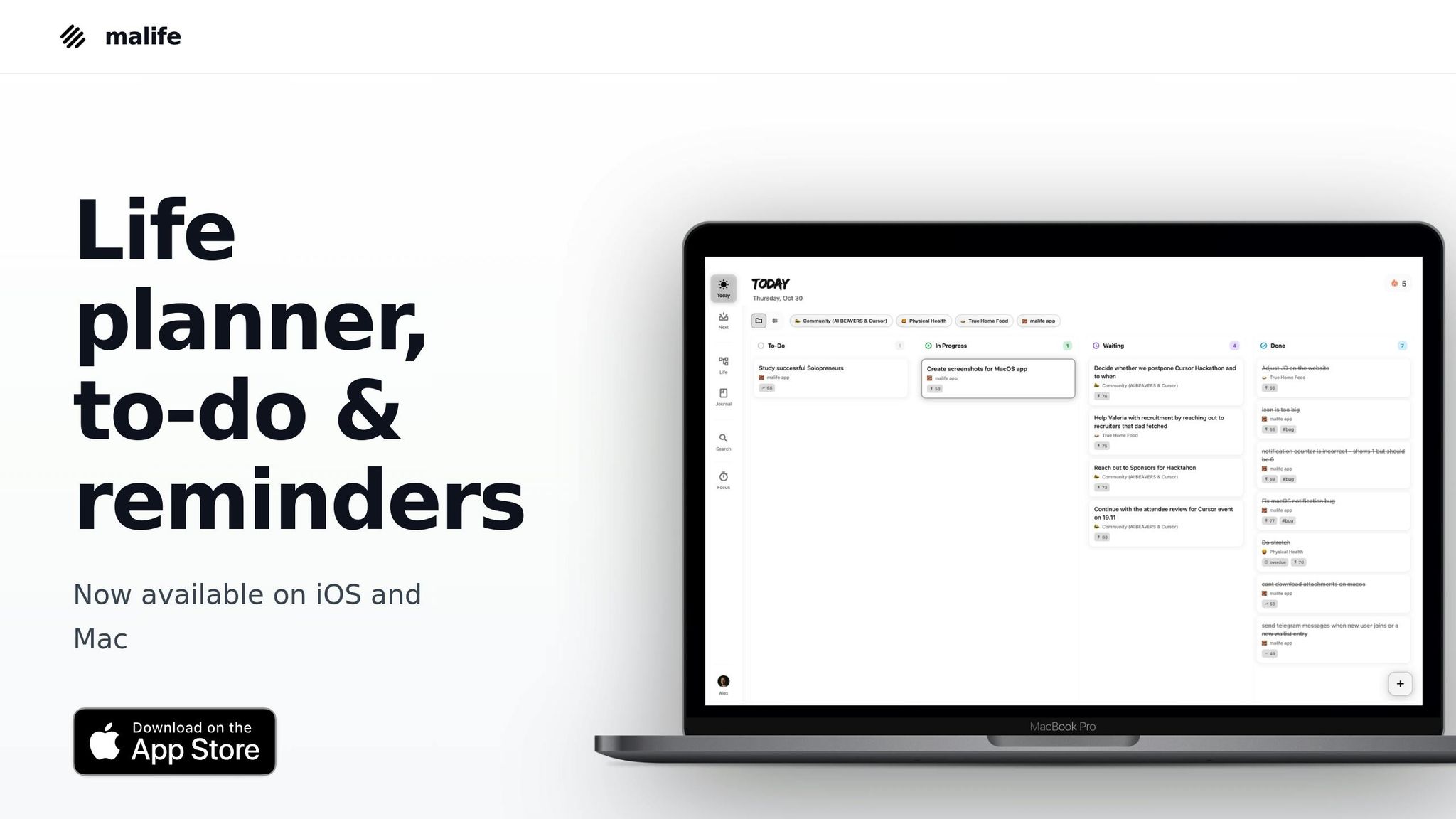
malife combines the principles of Kanban and GTD (Getting Things Done) to help you manage your life more effectively. By aligning Life Areas with GTD's Areas of Focus and utilizing Today/Next/Later views as a streamlined Kanban flow, the app provides a clear and systematic way to organize your goals and tasks.
Set Up Today & Next Views
malife refines task management by focusing on Today and Next views, which function like a Kanban board. Think of Today as your "Doing Now" column and Next as "Ready to Pull." This setup merges Kanban's work-in-progress limits with GTD's Next Actions list. Here's how it works:
- Each morning, review the Next view and move 3–5 tasks into Today. Keeping the number small helps you stay focused and reduces the productivity loss caused by context switching, which research from the American Psychological Association suggests can lower efficiency by up to 40%.
- As you complete tasks in Today, check them off and, if you have the capacity, pull another task from Next.
- At the end of the day, move any unfinished tasks back to Next or Later if priorities have shifted.
This daily rhythm keeps your workflow realistic and your board up-to-date. Use the Later view to store ideas or tasks that aren't immediate priorities.
Organize Goals by Life Areas
malife makes it easy to categorize your goals using its Life Areas feature, which groups projects and tasks into categories like Work, Health, Finances, Relationships, and Personal Growth. This mirrors GTD's concept of Areas of Focus, giving you a comprehensive dashboard of your life.
For example, if your long-term goal is to "Run a half marathon in 6 months", you’d place it under the Health & Fitness area. From there, you could break it down into projects like "Build a 12-week training plan" or "Improve nutrition for training", and add specific tasks such as "Research beginner half marathon plans" or "Schedule a call with a running coach."
During your weekly review, scan each Life Area to see which parts of your life are thriving and which might need more attention. This approach ensures you're not neglecting important areas, like health or relationships, while focusing heavily on work. Switching between Life Areas gives you an organized, bird's-eye view of your goals.
Use malife's Productivity Features
malife also includes several tools to enhance your productivity:
- Voice Capture: Quickly collect tasks by speaking into the app. For instance, saying, "Call tax advisor tomorrow for money life area, high priority", will automatically assign the task, set the date, and categorize it. This aligns with GTD's principle of capturing everything so nothing slips through the cracks.
- Impact/Effort Prioritization: Evaluate tasks based on their impact and effort. Focus on high-impact, low-to-medium effort tasks for quick wins, while reserving high-impact, high-effort tasks for dedicated focus sessions.
- Focus Timer: Use this tool to manage deep work. It provides context for tasks and tracks how much time you spend focusing.
- Persistent Reminders: These reminders let you quickly add time adjustments like +10 minutes, +1 hour, or +1 day, keeping important commitments on track without creating unnecessary stress.
- Journal: Reflect on milestones and refine your approach by logging your progress.
For time-sensitive tasks, use due dates and times in U.S. formats (MM/DD/YYYY, 3:00 PM). Otherwise, rely on the Today/Next views and prioritization tools to manage your tasks effectively. malife's features work together to create a structured, yet flexible, system for achieving your goals.
Conclusion
Blending Kanban with GTD offers a powerful combination: GTD helps you prioritize and define clear next steps, while Kanban makes your progress easy to see. Together, they create a system that captures, organizes, and visualizes tasks, keeping your big-picture goals and daily to-dos in sync. This approach not only reduces mental clutter but also sharpens your focus.
To get started, keep it simple. Create a basic three-column board - Today, Next, and Later. Use a GTD capture session to fill it with real projects and actionable tasks. Then, commit to a brief daily check-in and a weekly review to keep everything up-to-date and aligned with your goals.
If you're looking for a tool to make this process even smoother, malife offers features designed to integrate GTD and Kanban seamlessly. With Today, Next, and Later views, Life Areas for organizing tasks, and productivity tools like voice capture, effort/impact prioritization, reminders, and a focus timer, malife helps you break down goals into manageable projects and tasks across areas like Work, Health, and Finances.
FAQs
How can I combine Kanban's visual workflow with GTD's task management effectively?
To merge the visual clarity of Kanban with the structured approach of GTD (Getting Things Done), start by organizing your tasks into Kanban stages such as Today, Next, and Later. Before assigning tasks to these stages, use GTD techniques to capture everything on your mind, clarify what needs to be done, and decide on priorities. Regularly reviewing your Kanban board ensures your tasks stay aligned with your objectives and evolving priorities. This method keeps your workflow organized and adaptable, helping you stay focused even as things change.
How can I set effective work-in-progress limits on my Kanban board?
To establish effective work-in-progress (WIP) limits on your Kanban board, follow these steps:
- Begin with low limits to pinpoint bottlenecks and encourage focus.
- Set limits based on your team’s actual capacity for each step in the workflow.
- Review and tweak these limits regularly as your processes change or improve.
WIP limits are a great way to cut down on multitasking, boost efficiency, and keep your workflow running smoothly. Make sure these limits are clearly displayed on your board to help everyone stay aware and balance workloads effectively.
How do I prioritize tasks effectively using impact and effort?
To manage your tasks efficiently, start by assessing each one in terms of impact (how much it aligns with and advances your goals) and effort (the time or energy it demands). By focusing on tasks that are high-impact but low-effort, you can make noticeable progress without feeling overwhelmed.
Tools like malife simplify this process by allowing you to rate tasks based on impact and effort. These ratings help you visually organize and prioritize your workload, keeping your attention on what drives the most value.