
How Kanban Reduces Stress
How Kanban Reduces Stress
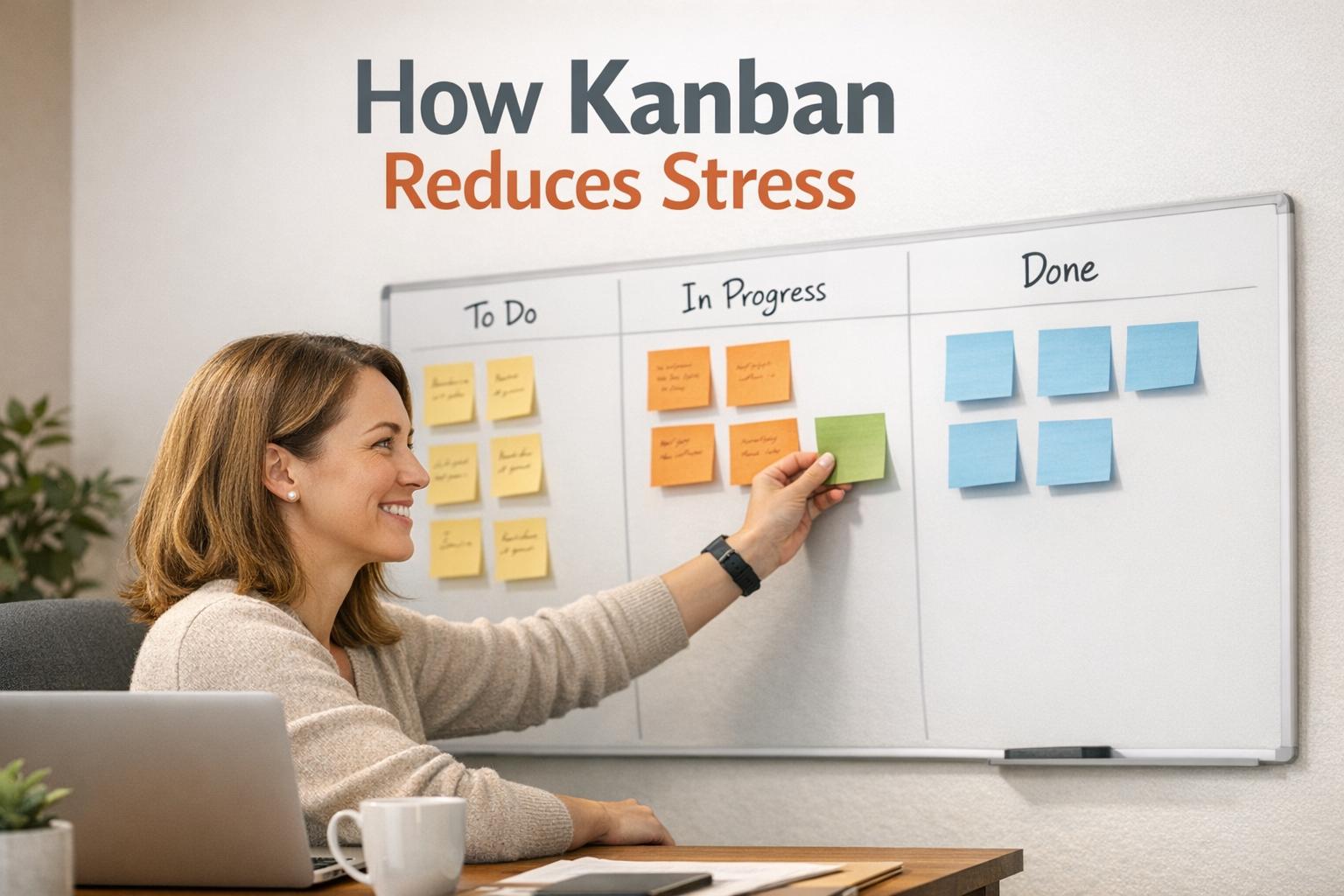
Feeling overwhelmed by endless tasks? Kanban can help you regain control and reduce stress. This visual task management system organizes your workload into clear columns like "To Do", "Doing", and "Done." By making tasks visible and limiting how many you work on at once, Kanban simplifies decision-making, reduces multitasking, and helps you finish what you start. Here's how it works:
- Visual Clarity: Move tasks out of your head and onto a board to reduce mental clutter.
- Focus on Fewer Tasks: Limit work-in-progress to 2–3 tasks to stay focused and avoid burnout.
- Track Progress: Moving tasks to "Done" provides a sense of accomplishment and reduces anxiety.
Research shows Kanban can boost task completion rates by 25% and cut task-switching by up to 40%. Whether you use a physical board or digital tools like malife, Kanban helps you manage work and personal life more effectively, leading to a clearer mind and less stress.
Understanding Kanban and Its Benefits
What is Kanban?
Kanban is a visual system designed to manage workflows by organizing tasks into columns - commonly labeled "To Do", "Doing", and "Done." This setup provides an instant overview of your workload and progress. Initially developed in the 1940s by Taiichi Ohno, a Toyota engineer, Kanban was inspired by how supermarkets efficiently managed their inventory. While originally a tool for just-in-time manufacturing, it has since evolved into a versatile method for managing tasks with Kanban in personal and professional settings.
At its core, Personal Kanban revolves around two simple principles: visualizing your work and limiting your work in progress (WIP). By transferring tasks from your mind onto a board - whether with sticky notes or digital tools - you create a single, organized view of everything on your plate. This visualization not only streamlines your workflow but also addresses a major pain point for modern workers: nearly half (47%) of digital workers report struggling to locate the information they need to perform their jobs effectively.
Mastering these basics is the first step toward understanding how Kanban can help reduce stress.
How Kanban Reduces Stress
Kanban’s principles aren’t just about productivity - they also play a key role in alleviating stress.
One of the biggest benefits of Kanban is that it clears mental clutter. By externalizing tasks onto a board, you free up mental space, reducing the anxiety that often comes with unfinished tasks. This simple act of offloading creates a sense of order and control.
Kanban also tackles multitasking, which is notorious for draining productivity. Studies show that switching between tasks can cost 25–40% of your productivity. By capping the number of tasks in your "Doing" column - ideally limiting it to 2–3 - you’re forced to focus on completing one thing at a time. This singular focus not only improves efficiency but also reduces the stress of juggling too many responsibilities at once.
There’s also a psychological reward in moving tasks to the "Done" column. This small, satisfying action provides a visual reminder of your progress and triggers positive physiological responses, counteracting the stress that builds up when your to-do list feels endless.
"Personal Kanban reduces waste in the form of energy you spend on context switching... trying to recall information, and rushing as a result of poor scheduling." - Smartsheet
Step-by-Step Guide to Using Kanban for Stress Reduction
Step 1: Set Up Your Kanban Board
Begin with a simple three-column layout: "To Do", "Doing", and "Done." This straightforward structure offers a clear view of your tasks without adding unnecessary complexity. If you prefer, you can use labels like "Today", "Next", and "Later" to better separate immediate priorities from longer-term tasks.
Decide whether a physical board with sticky notes or a digital tool works best for you. Either way, consider using color-coding to organize your tasks: blue for work-related items, green for personal tasks, and red for anything urgent. The goal is to transfer all your tasks onto the board, giving your mind some breathing room.
Once your board is ready, you'll have a clear picture of where to direct your energy next.
Step 2: Limit Work in Progress (WIP)
After setting up your board, focus on managing how many tasks you tackle at the same time. One of Kanban's most effective stress-reduction tools is limiting your active tasks. For the "Doing" or "Today" column, stick to a cap of 2–3 tasks at a time. Avoid exceeding 5 tasks to maintain focus and reduce overwhelm.
Make it a rule to finish a task before starting a new one. This "stop starting, start finishing" mindset helps you avoid the chaos of multitasking. If an urgent situation forces you to exceed your limit, shift one task back to "Next" to keep your workload manageable.
Step 3: Prioritize Tasks Effectively
Keep your "To Do" or "Next" column organized by ranking tasks based on importance. A simple prioritization method, like Impact vs. Effort matrix, can help you determine what matters most. As Dwight D. Eisenhower wisely noted: "What is important is seldom urgent and what is urgent is seldom important".
Arrange tasks in your "Doing" column by priority so you always know what to tackle first. When you complete a task, pull the highest-priority item from your "Next" column. This method eliminates the mental strain of constantly deciding what to do next and ensures you're always focusing on what truly matters.
Using malife to Improve Your Kanban Workflow
Visualize Tasks with Today, Next, and Later
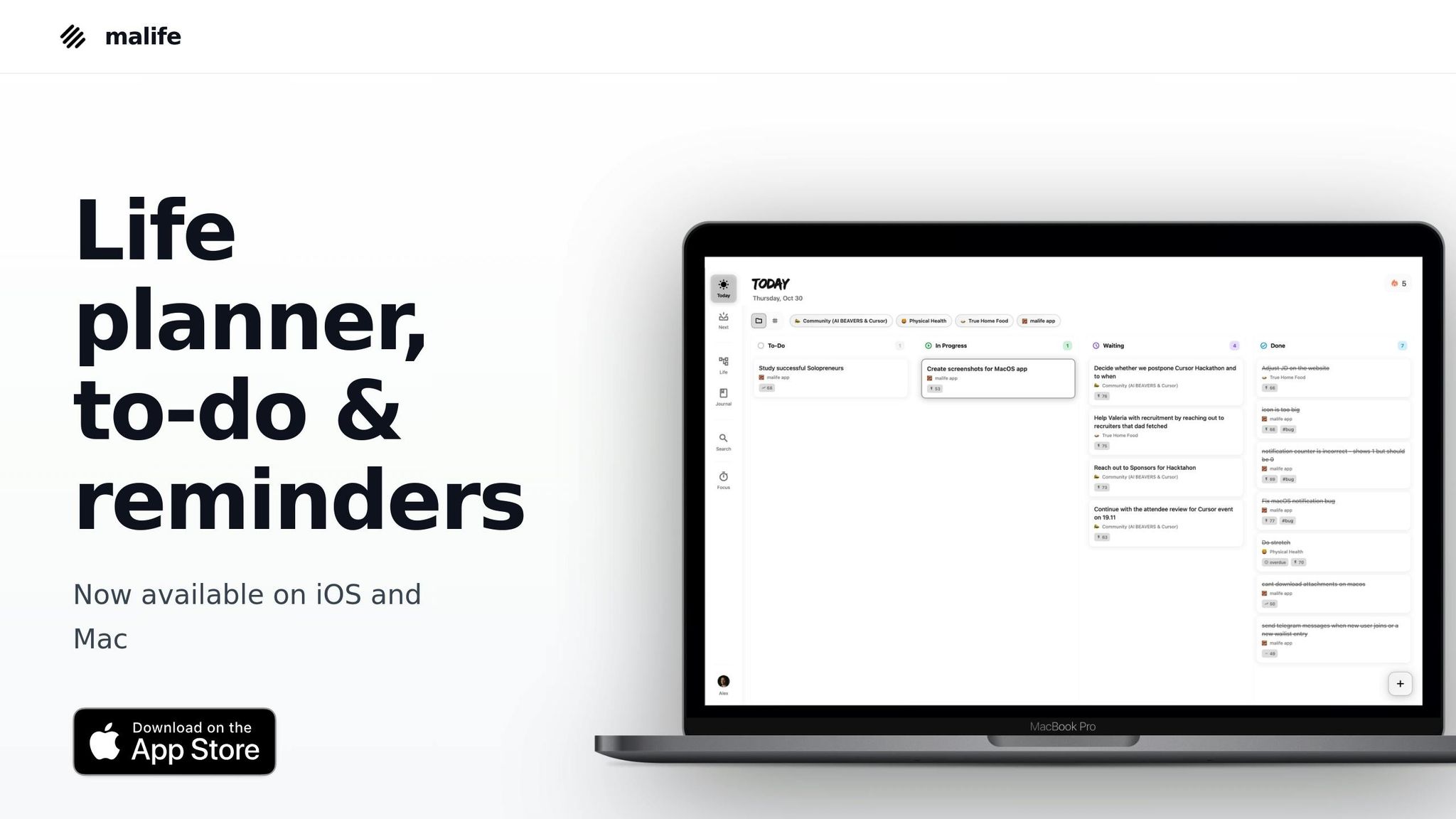
malife's three-view setup - Today, Next, and Later - brings the Kanban method into a simple, digital format. The Today view helps you stay focused by limiting active tasks, while the Later view keeps your backlog organized and out of the way. This system keeps your workload manageable and reduces stress by sticking to Kanban's core principle: limit work in progress.
In the Today view, you're encouraged to tackle only what you can realistically handle during a single cycle, helping you avoid an overloaded schedule. The Later view, on the other hand, acts as a storage space for ideas and tasks that aren't urgent, keeping your workspace clutter-free. As you finish tasks in Today, you can pull new ones from Next, following Kanban's "pull system", where tasks move into the active queue only when there's room for them.
By clearly visualizing your tasks, malife simplifies your workflow even further with user-friendly features for task entry and follow-up.
Use Voice Capture and Persistent Reminders
malife makes capturing tasks effortless with its voice capture tool. Just speak naturally, and your tasks are added instantly, ensuring no important details slip through the cracks. This quick entry system complements the visual clarity that makes Kanban so effective.
The app also offers persistent reminders to keep your workflow on track without requiring constant attention. With options like +10 minutes, +1 hour, or +1 day, you can easily reschedule tasks when interruptions happen. This flexibility helps you maintain momentum, tackle blockers, and keep stress levels low.
Organize by Life Areas for Work-Life Balance
malife goes beyond task management by helping you balance personal and professional commitments. Its Life Areas feature organizes tasks into categories - like work, personal, health, and learning - so you can see everything in one place and avoid letting one area dominate your time.
Traditional Kanban boards often focus solely on work, but stress doesn’t stick to those boundaries. malife’s Life Areas provide a complete picture of your responsibilities, helping you manage them without feeling overwhelmed. This is especially important when over 25% of Americans report feeling "super stressed" from juggling work and family obligations. By keeping all aspects of your life in view, malife helps you create a more balanced, stress-free workflow.
Common Stress Triggers and How Kanban Addresses Them
How Kanban Addresses Common Stress Triggers in Task Management
Kanban isn't just a productivity tool - it’s a stress reliever disguised as a workflow system. Let’s break down some of the common stress triggers in task management and how Kanban steps in to tackle them.
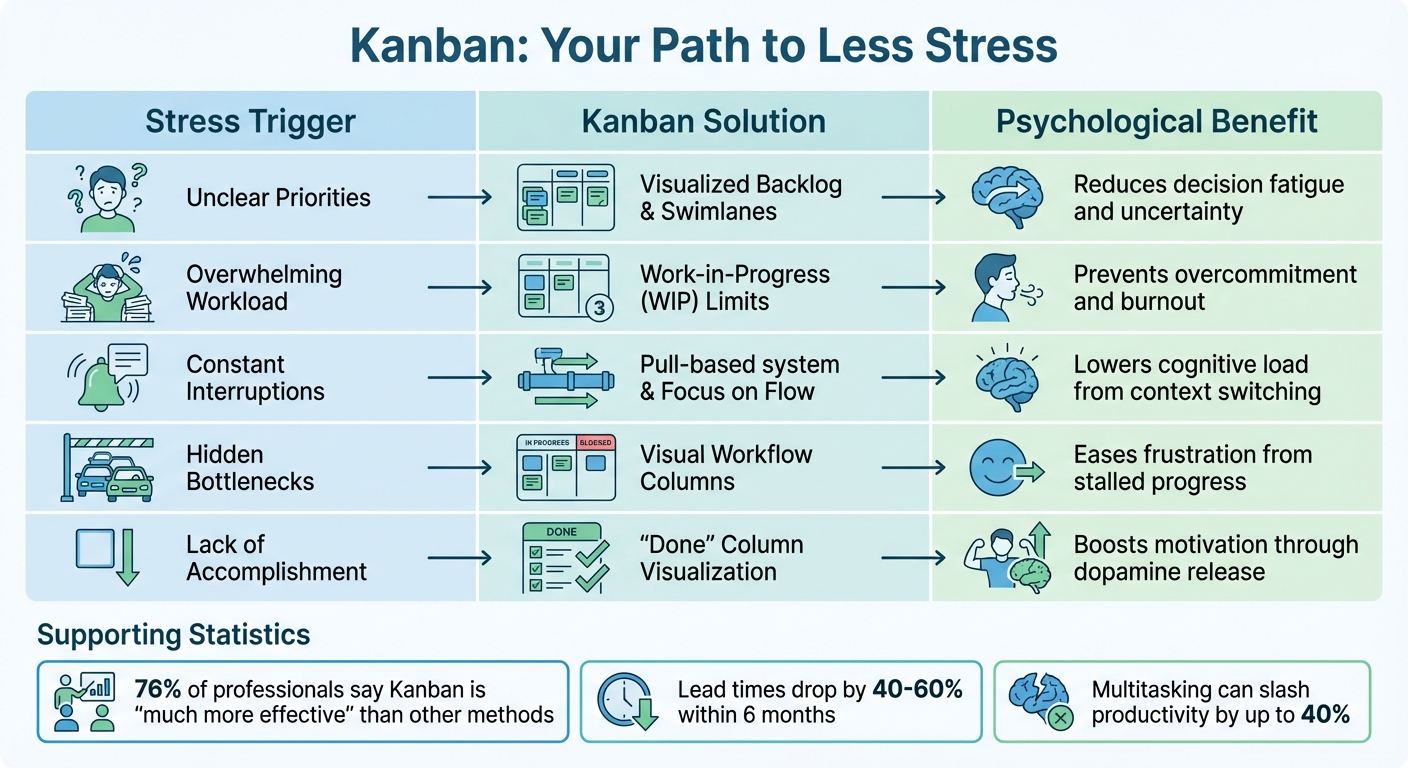
Stress often stems from the chaos of juggling tasks. Cognitive overload occurs when your to-dos are scattered across emails, apps, and mental checklists, forcing your brain to constantly keep track of everything. This mental juggling act can leave you exhausted. Uncertainty about what to tackle next leads to decision fatigue, draining your energy before you even begin. Add overcommitment and bottlenecks to the mix, and frustration builds as tasks pile up. And then there’s multitasking, which studies show can slash productivity by up to 40%, leaving you frazzled and ineffective.
Kanban directly addresses these stress points. By visualizing tasks on a board, it eliminates the need to mentally track everything, easing cognitive strain. A prioritized backlog makes it crystal clear what to focus on next, cutting through the fog of indecision. Work-in-Progress (WIP) limits ensure you don’t take on more than you can handle, keeping overcommitment in check. And those visual columns? They make bottlenecks impossible to ignore, so you can address issues quickly and keep things moving smoothly.
"Kanban removes that mental burden by externalizing tasks into a structured visual format. With one glance at a Kanban board, you know what to focus on, what's in progress, and what's already done." - Tanya Kravchuk, Mental Health Copywriter
Stress Triggers vs. Kanban Solutions
| Stress Trigger | Kanban Solution | Psychological Benefit |
|---|---|---|
| Unclear Priorities | Visualized Backlog & Swimlanes | Reduces decision fatigue and uncertainty |
| Overwhelming Workload | Work-in-Progress (WIP) Limits | Prevents overcommitment and burnout |
| Constant Interruptions | Pull-based system & Focus on Flow | Lowers cognitive load from context switching |
| Hidden Bottlenecks | Visual Workflow Columns | Eases frustration from stalled progress |
| Lack of Accomplishment | "Done" Column Visualization | Boosts motivation through dopamine release |
Here’s a compelling stat: 76% of professionals say Kanban is "much more effective" than other methods they’ve tried. Teams that adopt it often see lead times drop by 40–60% within just six months. By addressing these stress triggers head-on, Kanban not only simplifies task management but also helps maintain a smoother, more balanced workflow.
Maintaining Your Kanban System Over Time
Keeping your Kanban board in good shape is key to maintaining its stress-reducing benefits. Without regular attention, even the most organized board can become cluttered and outdated. Instead of helping you stay on track, it might end up adding to your stress.
Track and Reflect on Progress
Taking time to review your Kanban board regularly ensures it stays aligned with your goals and reality. A quick daily check-in works wonders: start your day by identifying your focus items, and end it by updating progress and celebrating completed tasks. Moving items to "Done" isn’t just satisfying - it clears mental space for what’s next.
Weekly reviews allow for a deeper dive. Spend 15–20 minutes once a week to prioritize your backlog, evaluate progress, and identify bottlenecks. Tracking cycle time - how long tasks take to move from "Doing" to "Done" - can help you set realistic expectations. In fact, studies show that using Personal Kanban can improve task completion rates by 25%.
On a monthly basis, look at your overall workflow. Analyze patterns, adjust Work-in-Progress (WIP) limits, and tweak your board to reflect shifting priorities. These insights can transform your board into more than just a task tracker - it becomes a tool for learning and growth.
"I've used Personal Kanban for many years... It's given me hundreds of great ways to organize my work, my career, and my life."
– Patricia Davis, Project Manager
This cycle of reflection and action fuels steady improvement.
Adjust Your Workflow as Needed
Your Kanban board should grow and adapt alongside your needs. When priorities shift or workloads change, don’t hesitate to make adjustments. For example, if you’re constantly exceeding your WIP limits, figure out why - maybe the limit needs to be raised, or perhaps the root issue lies elsewhere. If tasks seem to stall in certain columns, try breaking them into smaller, more manageable pieces.
Sometimes, you might need to add new features to your board. A "Waiting On" column can track tasks that depend on others, while an "Emergency" section can handle unexpected, urgent items. The goal is flexibility - your board should reflect your current situation, not an outdated plan.
"The board has changed a lot over the years. One of the keys to success is to keep changing it as the context changes."
– Peter Green, Agile Leadership Coach
Set a regular time to review and update your board - whether it’s Sunday evening or Friday afternoon. Pay attention to how tasks affect your energy levels, and adjust accordingly. With consistent care, your Kanban board evolves into a dynamic system that truly helps reduce stress and keeps you on track for the long haul.
Conclusion
Kanban helps reduce stress by making your mental workload visible and easier to handle. When you move your mental commitments onto a visual board, you give your brain a break from constantly trying to remember everything. Limiting how much you're working on at once protects you from the exhaustion that multitasking brings. Plus, organizing tasks by different areas of life ensures you're not just meeting deadlines but also balancing work, family, and personal growth.
The secret to making Kanban work long-term is to treat it as a dynamic tool, not a rigid to-do list. Regularly reviewing your board keeps it relevant, and small tweaks along the way prevent it from becoming overwhelming.
"Kanban is a system of constraints - it's ironic, but it is those limitations that offer mental liberation."
– Kanban Tool Blog
To make these stress-relief benefits even more practical, digital tools can seamlessly bring Kanban into your daily routine. malife embodies these principles with a simple, intuitive design centered on the Kanban method. Features like Today, Next, and Later views help you prioritize naturally, while Life Areas give a clear picture of what’s on track and what needs attention across all aspects of life. Voice capture makes it easy to offload ideas immediately, and persistent reminders ensure nothing gets forgotten. It’s not just about managing tasks - it’s about creating clarity and balance in your life.
Let go of the mental juggling act. Use a system that works with your brain, not against it, and watch your stress turn into steady progress.
FAQs
How can Kanban help reduce stress in daily life?
Kanban can ease stress by turning your mental to-do list into a clear, visual system. Instead of juggling tasks in your head, you organize them as cards placed in columns like To Do, In Progress, and Done. This setup makes it simple to see what needs your attention and what’s already finished. The result? Less mental clutter and more energy to focus on completing your work.
One of Kanban's key features is limiting how many tasks you tackle at once. By encouraging you to finish what’s already underway before starting something new, it helps prevent overwhelm and keeps your workflow manageable. Plus, there’s something undeniably satisfying about moving a task to the Done column - it gives you a small but meaningful sense of achievement, which can ease anxiety and reduce decision fatigue.
A planner like malife brings these Kanban principles into your daily routine. With tools like Today & Next views, Life Areas for organizing tasks, and prioritization features based on impact and effort, it helps you stay focused, maintain balance, and feel more in control of your day-to-day responsibilities.
How does limiting work-in-progress (WIP) in Kanban reduce stress?
Limiting work-in-progress (WIP) is a cornerstone of Kanban that helps keep your workload under control and reduces stress. By setting a cap on how many tasks you tackle at once, you can avoid feeling mentally stretched and overwhelmed. Instead of juggling multiple unfinished tasks, you gain the clarity to focus on completing work efficiently.
WIP limits also streamline workflows by exposing bottlenecks and ensuring tasks progress more smoothly. For instance, tools like the malife app incorporate this principle with its “Today & Next” view. This feature highlights just a few tasks for the day while organizing the rest in the “Next” section. By keeping things simple, it encourages focus, clears mental clutter, and helps maintain a better balance between work and personal life.
How do I set up a personal Kanban board to stay organized and reduce stress?
Setting up a personal Kanban board is a straightforward way to stay on top of your tasks while keeping stress levels in check. Start by dividing your board - whether it’s a physical one with sticky notes or a digital tool like malife - into three columns: Today, Next, and Later. This structure helps you zero in on your immediate priorities without getting distracted by everything else.
Write each task on its own card or sticky note, keeping the descriptions short and to the point. If needed, you can add due dates or quick notes for extra context. To stay focused, limit the number of tasks allowed in the Today column at any given time. This approach encourages you to finish what’s already on your plate before taking on anything new. Tools like malife even offer an impact/effort prioritization feature to help you decide which tasks deserve your attention first.
Make it a habit to review your board daily. Move tasks to the appropriate columns, take a moment to appreciate what you’ve accomplished, and tweak your plans as needed. This simple, flexible system ensures your workflow stays clear and manageable without adding unnecessary stress.