
Pomodoro with tasks checklist
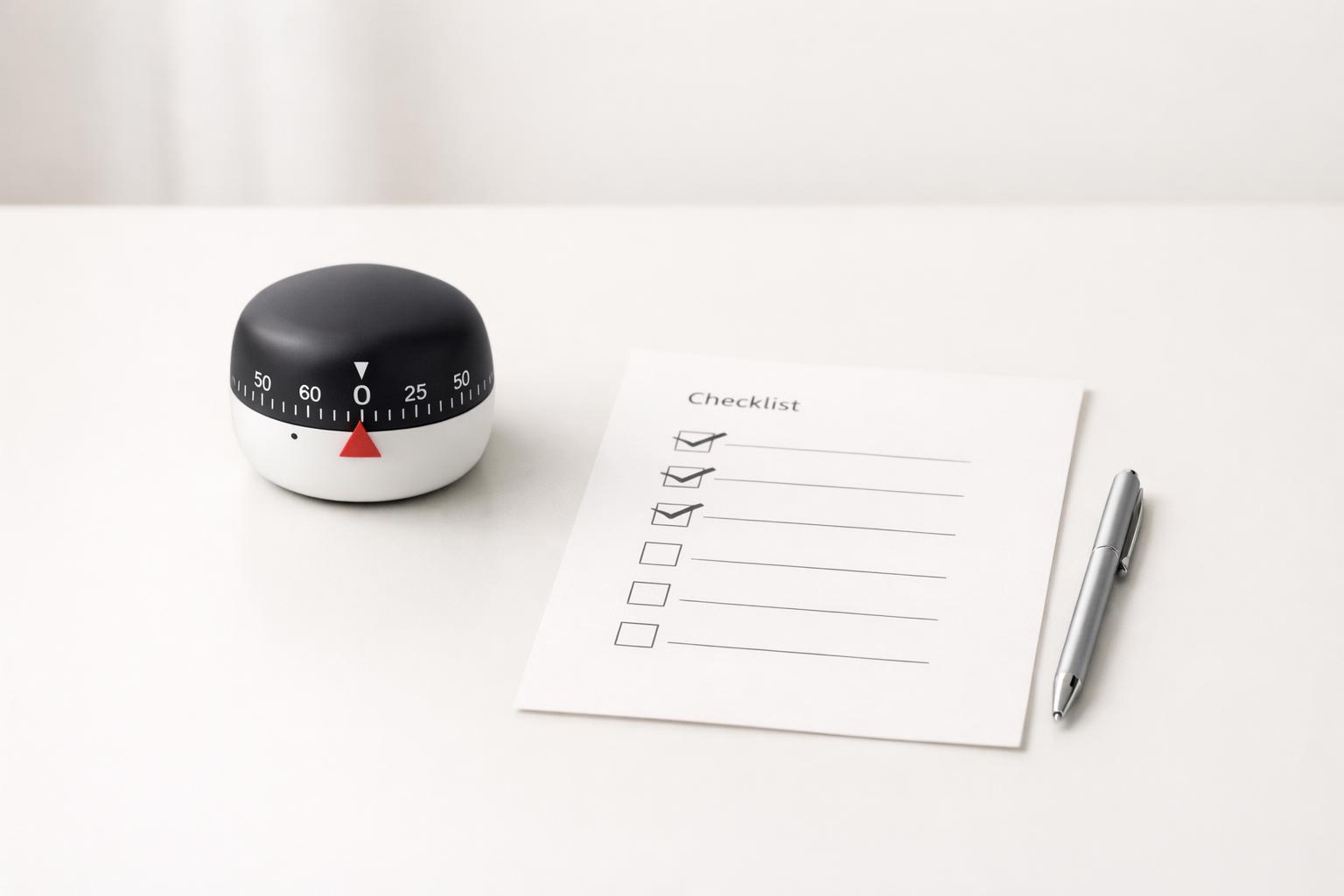
A pomodoro with tasks works best when the timer is tied to one visible checklist, so each focus block has a clear target and a clear finish.
Quick answer: A Pomodoro works better when it is attached to a specific checklist, not just a timer (Strategies for Coping with Time-Related and Productivity Challenges of Young). The practical setup is simple: choose one task, break it into visible next actions, run one focused work interval, and check off only what was actually finished before deciding on the next interval. That combination matters because the timer protects attention while the checklist removes ambiguity. If you only use a timer, you can stay busy without moving the task forward. If you only use a checklist, it is easy to drift, over-plan, or context-switch.
TL;DR
- Use pomodoro with tasks for one checklist at a time, not your whole day.
- Turn each task into small, finishable actions you can complete in one to three focus intervals.
- During a Pomodoro, do not add new work unless it is captured separately for later.
- Review after each interval: done, blocked, or next step.
- If 25 minutes feels wrong, adjust it. The method is a tool, not a rule. Rigid systems can backfire for some people.
Why combine Pomodoro with a task checklist?
A plain Pomodoro timer answers one question: “Can I focus for the next block of time?” A checklist answers a different question: “What exactly am I trying to finish?” You need both.
Many people fail with Pomodoro because they start the timer before defining the work (Being More Productive ^ R1105D). That creates a familiar pattern: 25 minutes of email, tab-switching, note-cleaning, and low-value “progress.” The timer creates urgency, but not direction. A checklist fixes that by making the target concrete.
The reverse problem also happens. A checklist without time boundaries can become a parking lot of vague intentions: “work on proposal,” “study chapter 4,” “plan trip.” Those are projects or categories, not next actions. Breaking larger tasks into smaller next actions improves focus and execution. A timer then helps you stay with that next action long enough to complete it.
This matters even more if your day is fragmented. Workplace attention is often interrupted, and off-task activity frequently happens on smartphones, including during breaks (Are Six Minutes of Focus Enough? An Exploratory Study of Multitasking). A checklist gives you a fast re-entry point after interruption: you can see exactly where to resume.
One more reason to combine them: priorities. Productivity is not just about squeezing more into the day; it is about deciding what matters most. A pomodoro with tasks checklist works best when it is tied to one meaningful outcome, not a random pile of errands.
What should a Pomodoro task checklist actually look like?
A good Pomodoro checklist is short, specific, and tied to one outcome. It is not your master task list. It is the working checklist for the task in front of you.
Use this structure:
- Name the outcome
- Example: “Send draft proposal to client”
- List the next actions
- Open proposal template
- Draft scope section
- Add pricing
- Proofread
- Send email
- Estimate loosely
- Mark actions that likely fit in one Pomodoro
- Mark actions that may need two or more
- Define the first action
- Start with the smallest meaningful step
- Leave space for notes
- Blocked by missing file
- Waiting on approval
- Continue from paragraph 3
That is enough. The checklist should reduce thinking during the work block, not create more of it.
The most common mistake is writing tasks that are too large. “Write report” is too vague. “Draft intro and first two findings” is usable. The Pomodoro technique tends to work better when the work is chunked into manageable intervals. This is also why many people find it motivating: the visible completion of small steps creates momentum (Productivity Is About Your Systems, Not Your People).
Another mistake is mixing unrelated tasks in one focus block. If your checklist includes “reply to invoices,” “outline essay,” and “book dentist,” that is not a Pomodoro checklist. That is a mini inbox. Keep one checklist per focus target.
If you use digital tools, the ideal setup is one task card or note with subtasks underneath it. On iPhone or Mac, that makes it easy to start a timer while keeping the checklist visible in the same context.
Copyable pomodoro checklist templates
Use these as working templates, not planning exercises. If you spend more than two or three minutes refining the checklist, stop and start the first interval. You can clean it up after the bell. As a daily planning rule, most people do better with 4 to 8 real Pomodoros for meaningful work, not 12 to 16 packed blocks (Make Time for the Work That Matters). Track progress across sessions by keeping one task card and updating only three fields after each round: done, blocked, next step. If interruptions from coworkers or family are common, add one line at the top: “If interrupted: note resume point, capture request, renegotiate timing.”
Writing task example
- Outcome: Finish rough draft of article intro and section 1
- Pomodoro 1:
- Open outline
- Write intro headline options
- Draft intro paragraph
- Note next point before break
- Pomodoro 2:
- Draft section 1 main argument
- Add one example
- Mark missing research with TK
- After session: Done / Blocked / Next: “resume at section 1 conclusion”
Admin task example - Outcome: Clear urgent admin before 11 AM - Pomodoro 1: - Reply to top 3 time-sensitive emails - Pay invoice #204 - Confirm Thursday appointment - Pomodoro 2: - Update expense log - File receipt photos - Send one follow-up - After session: Done / Blocked / Next: “waiting on vendor reply”
Study task example - Outcome: Review chapter 4 and test recall - Pomodoro 1: - Read pages 1–8 - Highlight only key definitions - Write 3 summary bullets - Pomodoro 2: - Read pages 9–16 - Answer 5 recall questions from memory - Mark weak areas for next session
How do you run a Pomodoro with a checklist without overcomplicating it?
The simplest workflow is a five-step loop:
1. Pick one task that matters
Do not start by asking, “What can I get done in 25 minutes?” Start by asking, “What outcome matters next?” Then choose the checklist tied to that outcome.
2. Shrink the first step
If the first checklist item still feels heavy, shrink it again. “Research topic” becomes “find three credible sources.” “Clean budget” becomes “reconcile June transactions.”
3. Start the timer and work only the checklist
Work the list in order. If a new thought appears, capture it somewhere else and return. Do not rewrite the checklist mid-session unless the task changed materially.
4. End the interval with a micro-review
At the bell, mark: - Finished - Partially done - Blocked - Next step
This review is what makes the system sustainable. It prevents the “I was busy but I don’t know what happened” feeling.
5. Decide intentionally: Continue, break, or switch
If you still have energy and the task is hot, do another interval. If attention is dropping, take a real break. If the task is blocked, switch on purpose, not by drift.
This matters because rigid tools do not help everyone equally. Some ADHD-affected professionals report context-switching fatigue and dissatisfaction with limiting productivity tools (Toward Neurodivergent-Aware Productivity: A Systems andAI-Based). So treat the classic 25/5 format as a starting point, not a law. If 15, 30, or 45 minutes works better for your task and energy, use that.
The key is consistency in the loop: choose, define, focus, review, decide.
What checklist items belong before, during, and after each focus block?
Quick answer: Use a three-part pomodoro with tasks checklist: set up the task before the timer, protect attention during the interval, and record the next step after the bell.
Before the pomodoro
Use this short pre-focus checklist:
- Choose one task
- Define success for this interval
- Break the task into next actions
- Close unrelated tabs/apps
- Put phone away or on Do Not Disturb
- Start timer
This setup reduces friction. It also protects against fake starts, where you spend the first 10 minutes deciding what to do.
During the pomodoro
Use this in-session checklist:
- Work only on the selected checklist
- Capture distractions without following them
- Avoid inboxes unless the task requires them
- Do not “just check” your phone
- If blocked, note the blocker and keep moving if possible
That phone rule matters. Research on workplace multitasking found that almost all off-task activities in the observed process occurred on smartphones, often during Pomodoro breaks. If your breaks become scroll sessions, the next focus block usually starts weaker.
After the pomodoro
Use this shutdown checklist:
- Check off completed actions
- Rewrite the next action if needed
- Note blockers or dependencies
- Decide whether to continue
- Take a real break
A real break means stand up, stretch, get water, look away from the screen. The point is mental reset, not more stimulation. Some students with LD/ADHD described these kinds of strategies as helping them refocus and refresh mental energy.
If you want one rule to remember, make it this: every Pomodoro should end with a clear next step. That is what makes it easy to restart later.
What tools and setups work best for a Pomodoro checklist on iPhone and Mac?
You do not need a complicated stack. You need three things in one reliable system:
- A task list with subtasks or checklists
- A timer
- A quick way to capture interruptions
That can be done with many apps, but the workflow matters more than the brand. On Apple devices, the best setup is usually one where the task and timer live close together so you are not bouncing between tools.
A practical setup looks like this:
- Task view: one active task with a checklist of next actions
- Focus view: only today’s or current work, not the full backlog
- Timer: attached to the current task if possible
- Capture inbox: a place for stray thoughts, follow-ups, or ideas
Some timer apps explicitly support task-based Pomodoro tracking and reporting. That can be useful if you want to see how many intervals certain kinds of work actually take. Over time, this helps you estimate more realistically.
If you use voice capture, be careful. Voice assistants can create and manage tasks, but even Google’s own help documentation warns that AI can make mistakes and that tasks should be double-checked (Set & manage Google Tasks with Google Assistant - Android - Google Assistant). That is a good general rule for any AI-assisted capture workflow: great for speed, not a substitute for review.
For Apple users who want one place to manage work and life, a life-management app can be more useful than a standalone Pomodoro timer because the checklist sits inside broader context: projects, reminders, calendar visibility, and personal life areas. That matters when the real challenge is not “how do I run a timer?” but “how do I keep work, health, admin, and personal commitments from colliding?”
If you want a simple native Apple workflow, malife lets you keep tasks, reminders, focus sessions, and life areas in one place, which makes pomodoro with tasks easier to run without jumping between separate apps.
How do you avoid the common failures of Pomodoro checklists?
Most Pomodoro systems fail for predictable reasons. The fix is usually simple.
Failure 1: The checklist is too vague. If you cannot tell whether an item is done, it is too broad. Rewrite it as a visible action.
Failure 2: The interval is the wrong length. Twenty-five minutes is not magic. Deep writing may need 45. Admin cleanup may fit in 15. Adjust to the work.
Failure 3: You use breaks badly. If every break becomes social media, you are training your attention to fragment. Keep breaks low-friction and restorative.
Failure 4: You switch tasks because the current one feels uncomfortable. That is not responsiveness; it is avoidance. If the task is still the priority, shrink the next step instead of abandoning it.
Failure 5: You overload the day with too many Pomodoros. A checklist should support meaningful work, not turn the day into a scorekeeping game. Productivity is a systems issue, not just a matter of pushing harder.
Failure 6: You ignore life context. A work checklist may be perfect and still fail if your day also includes errands, family obligations, or health tasks. A holistic system helps because it lets you see competing responsibilities in one place instead of pretending work exists in isolation.
My opinion: the best use of Pomodoro is not as a lifestyle or identity. It is a lightweight execution tool. Use it when you need structure, especially for mentally resistant work, and drop the ceremony when the work is already flowing.
FAQ
Should every task have a Pomodoro estimate?
No. Add estimates only when they help you plan or avoid overcommitting.
For small or routine tasks, estimating every item creates overhead. It is usually enough to mark whether something is likely to fit in one interval, needs multiple intervals, or should be broken down further. Detailed estimates are more useful for larger work like writing, studying, or project tasks where you want to compare expected effort with actual effort over time.
A good rule is: - Tiny tasks: no estimate - Medium tasks: mark 1 Pomodoro or 2+ Pomodoros - Large tasks: split into subtasks first, then estimate the subtasks
If estimating starts to feel like procrastination, skip it and begin the first focus block.
Bottom line
A Pomodoro with a task checklist is effective because it combines time boundaries with clarity. The timer helps you stay with the work. The checklist tells you what “the work” actually is. If you want this to stick, keep it simple: one meaningful task, a few concrete next actions, one focus block, then a short review.
If your current system is scattered across notes, reminders, and mental tabs, bring the checklist, timer, and capture flow into one place. That is usually the difference between trying Pomodoro and actually using it.
Download the app.
A pomodoro with tasks works best when you keep one meaningful task, a few concrete next actions, and a short review in the same simple execution flow.
Related articles
- Task progress tracking: The complete guide →
- How a timer for deep work affects task follow-through for busy professionals: Cause-and-effect framing for how focus timing improves execution consistency. →
- 7 focused work routine mistakes for busy professionals that kill deep work →
- Personal performance: The complete guide to better focus and follow-through →