
Checklist for Effective Iteration Reviews
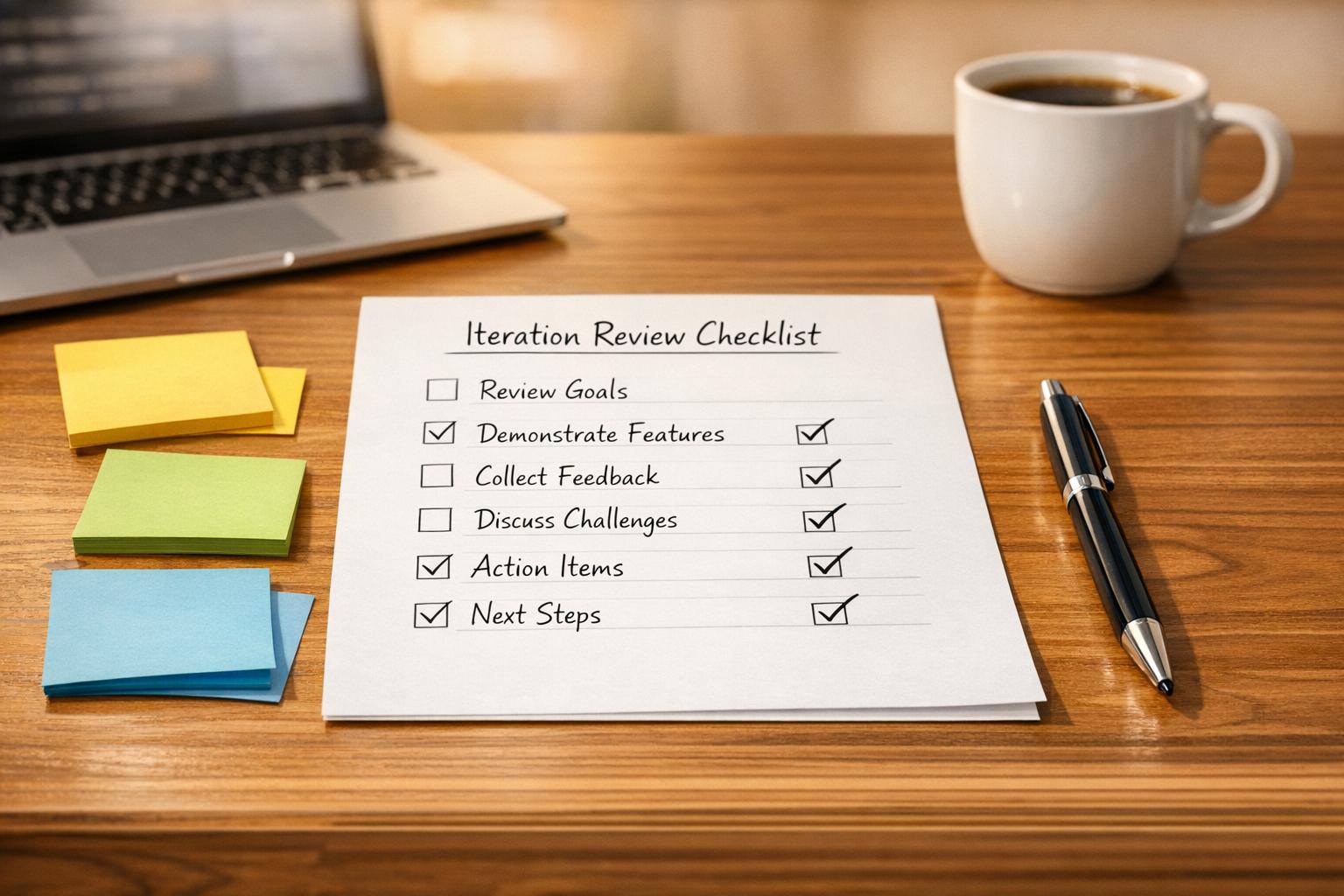
Checklist for Effective Iteration Reviews
Iteration reviews are critical for Agile teams to evaluate completed work, gather feedback, and align priorities for the next cycle. Without them, teams risk delivering features that don't meet user needs or business goals. This guide outlines how to prepare, run, and follow up on these reviews, ensuring they lead to meaningful progress.
Key Steps for Effective Iteration Reviews:
- Preparation:
- Review iteration goals and progress.
- Test and finalize deliverables.
- Schedule the meeting and invite all relevant stakeholders.
- During the Review:
- Present progress using clear visuals and live demos.
- Tie deliverables to business outcomes and user impact.
- Gather feedback and discuss challenges or risks.
- Post-Review Actions:
- Update the backlog with new tasks and feedback.
- Document key takeaways and lessons learned.
- Identify process improvements for the next iteration.
Why It Matters:
Iteration reviews keep teams aligned, ensure transparency, and provide a platform for stakeholders to give actionable input. By following a structured checklist, teams can avoid common pitfalls like incomplete work or missed feedback, turning these sessions into a tool for continuous improvement.
For added support, tools like malife can help organize tasks, track feedback, and prioritize actions efficiently. Use this checklist to make your next review productive and impactful.
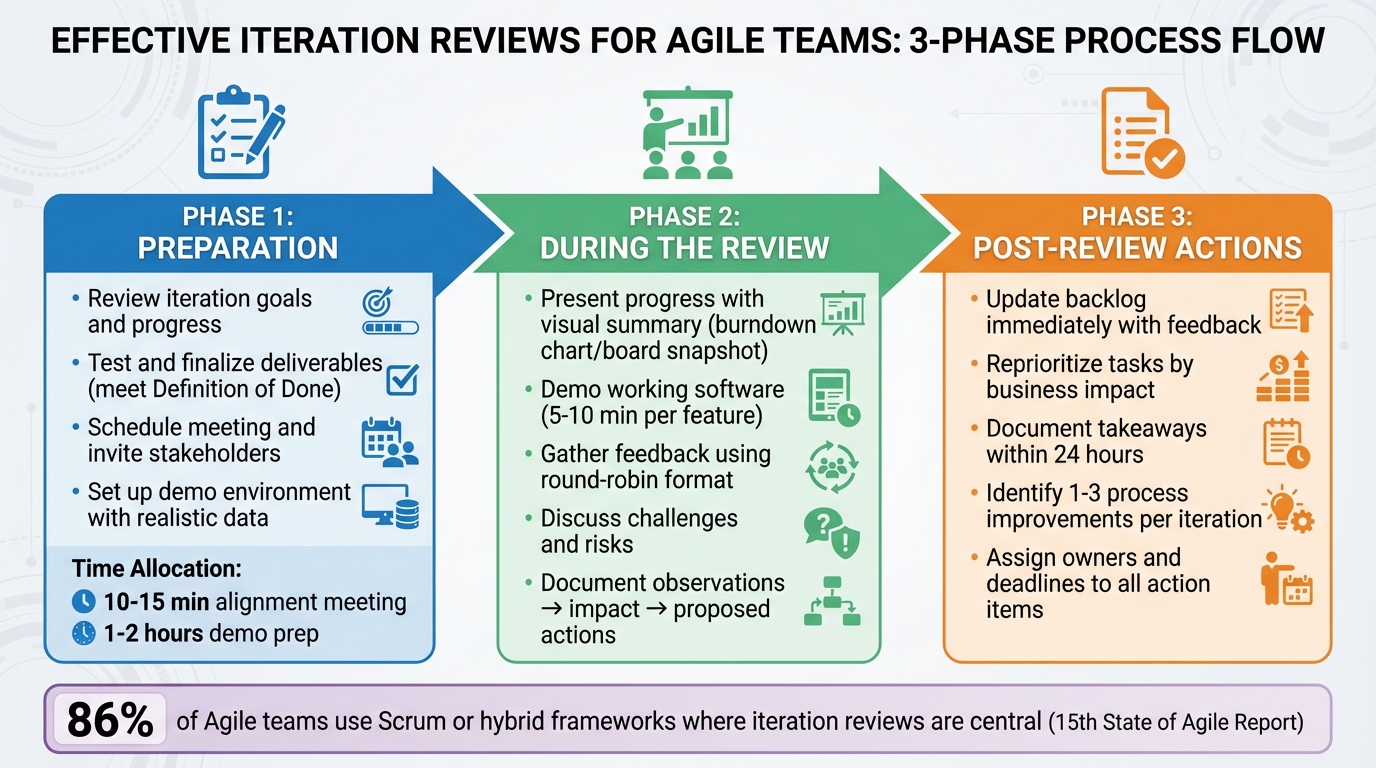
3-Phase Iteration Review Process: Preparation, Execution, and Follow-up
Preparation Checklist: Getting Ready for the Review
Proper preparation can turn a routine review into a productive session packed with actionable feedback. The difference between a review that drives progress and one that feels like a waste of time often boils down to the groundwork done beforehand. Without preparation, you risk broken demos, unclear objectives, and missing key decision-makers. Here's how to set the stage for a focused and efficient review.
Review Iteration Goals and Current Progress
Start by revisiting the iteration goals the team committed to at the beginning of the cycle. Update all iteration goals and user stories in your tracking tool at least a day before the review to reflect their current status. This provides a clear, honest snapshot of progress. Compare what was planned versus what was completed, and make note of any major deviations.
It’s also crucial that the Product Owner understands what will be demonstrated and how each item ties back to business outcomes. A quick 10–15 minute alignment meeting with developers, testers, and the Product Owner can ensure everyone is on the same page about what’s ready to showcase. This step reduces the chance of surprises and helps present a cohesive narrative about the team’s progress.
Test and Finalize Deliverables
Make sure everything you plan to present is genuinely complete. Each "done" item should meet the Definition of Done and pass all functional, integration, and regression tests. The goal is to showcase real, working software - not spend the review debugging issues in front of stakeholders. Confirm that acceptance criteria are met and prepare to discuss any known defects if questions arise.
Set up a stable demo environment with realistic data and the correct credentials. Limit demo preparation to one or two hours; the focus should be on demonstrating authentic work, not creating a polished presentation. Assign presenters and organize the demo sequence to keep things engaging and spread knowledge across the team. Time-box each segment - typically 5–10 minutes per feature - and reserve time for questions and feedback. For each demo, provide context by explaining the user problem it addresses, the approach taken, and the specific feedback you’re seeking from stakeholders.
Schedule the Meeting and Invite Stakeholders
Confirm the review’s time, location, or video link well in advance, especially for key stakeholders. Send calendar invites that include the agenda, objectives, and expected outcomes. Make sure to invite everyone who can contribute meaningful feedback, including the Product Owner, team members, business sponsors, UX, QA, operations, and any external partners who need visibility into the work.
For remote or hybrid teams, test your video conferencing tools 15–30 minutes before the meeting. Check that screen sharing, audio, and recording features are functioning as expected. Ensure you have access to the demo environment, including login credentials and sample data. Have a backup plan ready - such as a second laptop, offline screenshots, or short recordings - in case of technical issues. Finally, gather any relevant metrics or customer feedback to provide additional context during the review.
During the Review: Running an Effective Session
When everyone has joined, kick off the inspect-and-adapt session. The review isn’t just about sharing updates - it’s a hands-on event where stakeholders evaluate what’s been delivered and help determine the next steps. A productive session keeps the focus on the product increment, gathers actionable feedback, and identifies potential risks early. Here’s how to make the most of this time.
Present Progress and Completed Deliverables
Start by briefly revisiting the iteration goals. Offer a clear visual summary - like a snapshot of your board or a simple burndown chart - so participants can quickly see how the committed work compares to what’s been completed. Walk through each finished item, tying it back to the original acceptance criteria and the Definition of Done. Be upfront about what’s complete, what’s still in progress, and what’s been deferred.
Keep your summary focused on user impact and business value. Instead of listing technical tasks, explain how the work supports broader objectives. For example, rather than saying, “We added a filtering feature,” you could frame it as, “Customers can now filter search results by price range, which supports our goal of improving conversion rates.” If any changes to scope occurred during the iteration - like stories being added, removed, or reprioritized - mention these briefly to provide context.
Once the overview is complete, move on to live, user-focused demonstrations.
Demonstrate Work and Gather Feedback
Whenever possible, show working software instead of relying on slides. Live demos of real product increments are far more engaging and effective. Structure the demos around user stories or value slices, presenting them from the perspective of the end user. For instance, say something like, “As a customer, I can now save favorite products to a wishlist and access them from any device.” Begin each demo by stating the goal and acceptance criteria, then showcase the functionality in a realistic scenario to confirm that those criteria have been met.
Limit each demo to 5–10 minutes and rotate presenters to keep the energy up and encourage shared ownership. After each segment, pause and invite feedback by asking questions such as, “Does this align with what you were expecting?” or “Are there any concerns with this approach?” Use a round-robin format to ensure everyone has a chance to contribute. Capture feedback immediately in your tracking system, turning comments into actionable backlog items using a simple template like: "Observation → Impact → Proposed Action."
After the demos, shift the focus to any challenges or risks that have surfaced.
Discuss Challenges and Risks
Set aside time to address obstacles from the iteration - whether it’s blocked work, growing technical debt, tricky dependencies, or external risks like regulatory changes or vendor delays. Focus on issues that directly affect the product’s value, delivery timelines, or stakeholders’ ability to use the increment. Clearly name each issue, evaluate its likelihood and impact, and assign next steps with clear ownership and deadlines. Tools like a basic risk matrix or a quick summary of what’s changed, what’s at risk, and what’s proposed can help keep the discussion concise and actionable.
To avoid unproductive blame games, frame challenges as system constraints or trade-offs. Timebox these discussions to ensure decisions are made efficiently - whether that’s creating a spike story, deferring the issue, or deciding on immediate action. Before ending the session, recap what’s been accepted, what still needs work, and any new stories or bugs that were identified. Highlight any major scope changes and confirm that all follow-up actions have clear owners and deadlines. This ensures the insights from the review are translated into concrete plans for the next iteration.
Post-Review Actions: Following Up on Feedback
Turning feedback into meaningful changes is where the real value of iteration reviews lies. This means updating your backlog, capturing lessons learned, and spotting areas to fine-tune your workflow.
Update the Backlog and Reprioritize Tasks
Once the review ends, the Product Owner and team should immediately integrate stakeholder feedback into the backlog. This could include adding new user stories, addressing bugs, or tackling technical spikes. Reorganize the backlog to reflect the latest insights, focusing on tasks with the most business impact or urgency. This ensures the next planning session targets what matters most.
For unfinished work, update estimates, include notes on delays, and tag these tasks as "from review" to track their origin. Categorize items clearly - what’s ready for action now, what’s next in line, and what’s on hold. This approach keeps the feedback loop tight, ensuring stakeholder input directly shapes the next steps.
Document Key Takeaways
Capture insights from the review within 24 hours. Record what was delivered compared to what was planned, noting any gaps. Highlight stakeholder feedback - what worked, what didn’t, and any major concerns. Don’t forget technical observations, such as unexpected performance issues, quality concerns, or risks that surfaced.
Store this information in a single, easily accessible location, like a shared document or wiki, so the team can reference it during retrospectives and planning. Use clear, actionable language backed by evidence. For example: "Feedback: 3 out of 5 stakeholders found the new filter UI confusing. Action: Add tooltips and simplify labels." Separate facts (what happened), interpretations (why it happened), and decisions (next steps) to avoid misunderstandings later.
Identify Process Improvements
Don’t just focus on the product - examine your processes too. Were acceptance criteria unclear? Did code reviews or testing slow things down? Were key stakeholders unavailable? Identify these gaps and turn them into experiments for the next iteration. For example, you could try pair programming for complex tasks or add automated regression tests for critical workflows.
Keep the list of improvements manageable - one to three items per iteration is ideal. Assign each item to a specific owner, set a deadline, and define a measurable success metric, like "reduce average cycle time for stories by 15% over two iterations." Revisit these items during the next review and retrospective to assess their impact, ensuring the team stays on track with continuous improvement.
How malife Can Support Your Iteration Reviews
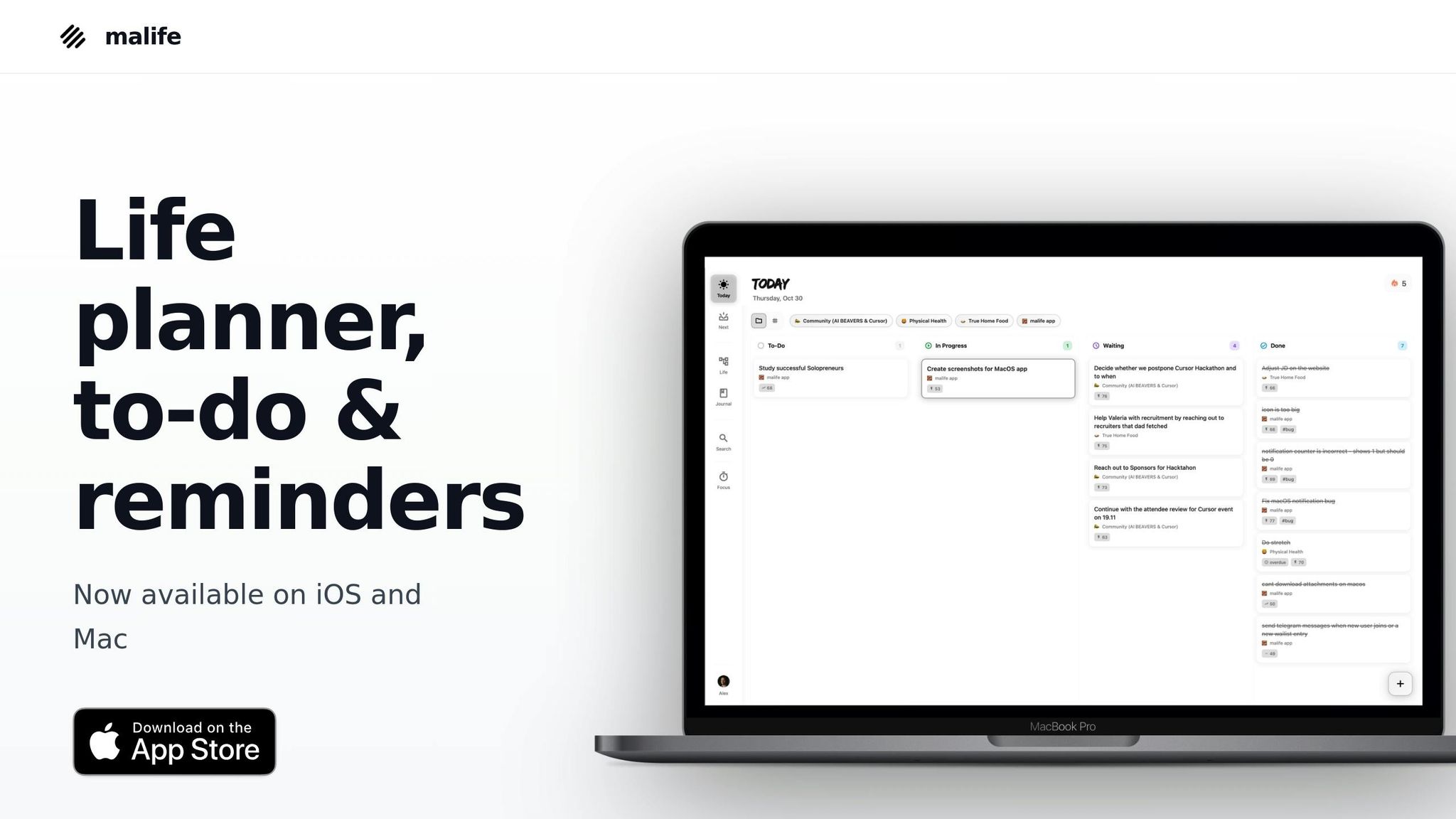
While most Agile tools center around managing team backlogs and sprint boards, malife steps in as a powerful companion for preparation, execution, and follow-up. Designed with GTD principles and a Kanban-style Today–Next–Later flow, it helps product managers, Scrum Masters, and team leads ensure that nothing agreed upon during the review slips through the cracks between sprints. With malife, you can organize tasks to align review goals with actionable projects.
Organize Tasks and Goals with Life Areas
In malife, you can create Life Areas like "Work – Product Team" or "Q2 Delivery" to keep iteration goals separate from personal tasks. Within each Life Area, set up Projects tailored to your sprint activities, such as "Sprint 10 Review Prep", "Sprint 10 Demo", or "Sprint 10 Follow-up Actions." This structure mirrors the Agile hierarchy, from epics to subtasks, allowing you to drill down quickly from high-level goals to specific deliverables. For example, a team lead in the U.S. could group all review-related tasks under one Life Area and use malife's status indicators to easily see what's on track and what needs attention before the review meeting begins.
Prioritize and Schedule with Built-In Tools
As feedback and ideas arise during the review, you can capture them as tasks in malife and assign an Impact/Effort score. This makes it easy to identify quick wins - like adding tooltips to clarify a confusing UI - versus high-effort tasks that should be deferred to the "Later" column. Assign precise due dates (e.g., "Dec 22, 3:00 PM") instead of vague deadlines, and use persistent reminders with quick nudges (+10m, +1h, +1d) to ensure follow-ups like updating the backlog or sending review notes are handled promptly. For instance, one team received ten suggestions during a review, mapped them in malife, and selected three high-impact, moderate-effort tasks to tackle in the next two weeks, while postponing less critical ideas.
Document Feedback and Plan Next Steps
malife's journal feature allows you to document each iteration review with clear identifiers like "Iteration 9 Review – Jan 15." Record outcomes, stakeholder feedback, and metrics (e.g., "Completed 18 items; 2 carried over") using standard U.S. number formats. You can also link or cross-reference specific tasks or projects directly from the journal entry, ensuring insights are tied to actionable items. During live reviews, use malife's voice capture feature on your phone or desktop to quickly add tasks like "Follow up with finance on license cost question" without disrupting the discussion. The app automatically converts natural language into tasks with assigned due dates or Life Areas. By the end of the meeting, a facilitator can leave with 12 well-organized tasks ready to be prioritized and scheduled across Today, Next, and Later views. This streamlined approach ensures your iteration reviews stay focused and productive.
Conclusion
Key Takeaways
A well-structured checklist can transform routine iteration reviews into a tool for ongoing improvement. By focusing on preparation, live demonstrations, and actionable follow-ups, teams can shift from abstract updates to meaningful progress. Demonstrating working software and fostering open discussions during the session encourages valuable feedback. This feedback, when paired with clear follow-up actions - like updating the backlog, documenting decisions with assigned owners and deadlines, and identifying areas for improvement - leads to tangible results. According to the 15th State of Agile Report, 86% of respondents rely on Scrum or hybrid Scrum frameworks, where iteration reviews play a central role.
Digital tools, such as malife, simplify the process of organizing and tracking tasks. Features like Life Areas for task grouping, voice capture for quick feedback, and Impact/Effort scoring to prioritize actions help ensure no detail is overlooked.
Put these strategies into action to make your next review more impactful.
Next Steps
Take this checklist and integrate it into your next iteration review. For example, you could create a "Sprint 11 Review Prep" Life Area in malife, breaking tasks into projects like demos, invitations, and follow-ups. During the review, use voice capture to log feedback as tasks. Afterward, assign Impact/Effort scores to prioritize actions and schedule reminders (+10m, +1h, +1d) to ensure backlog updates and documentation are completed on time. Continuously refine your checklist to maintain a cycle of reflection, adaptation, and steady improvement.
FAQs
How do we keep all stakeholders actively involved during iteration reviews?
To ensure stakeholders stay engaged during iteration reviews, start by clearly communicating the review's goals and purpose. Set the tone for collaboration by fostering an open and welcoming environment where everyone feels their feedback matters.
Incorporate visual tools, such as Kanban boards, to give a clear snapshot of progress and priorities. Timing is also key - schedule reviews at moments convenient for all participants to boost attendance and active participation. By keeping the process structured and on track, you can sustain interest and encourage teamwork.
How can I effectively prepare deliverables for an iteration review?
To get deliverables ready for an iteration review, begin by defining the scope. This ensures you’ve included all the key elements needed for the review. Next, organize all relevant documents and data so they’re easy to access and evaluate. Be sure to double-check for accuracy and completeness, making sure everything aligns with the project’s goals and supports actionable feedback. Lastly, take time to review the deliverables for clarity and consistency - this will help make the review process more efficient and productive.
How can feedback from iteration reviews be effectively prioritized and added to the backlog?
To effectively prioritize feedback, consider its alignment with goals, urgency, and feasibility. Start by organizing feedback into actionable categories, such as tasks that need immediate attention, items to schedule for later, or ideas to place in a longer-term backlog. Focus on feedback that has a strong impact and urgency, breaking it down into clear, manageable steps.
An impact vs. effort analysis can help pinpoint tasks that offer the greatest value for the least effort. Make it a habit to revisit and adjust priorities during iteration reviews. This ensures your team stays focused on current objectives while preventing important feedback from being overlooked.