
Lessons Learned Documentation: Ultimate Guide
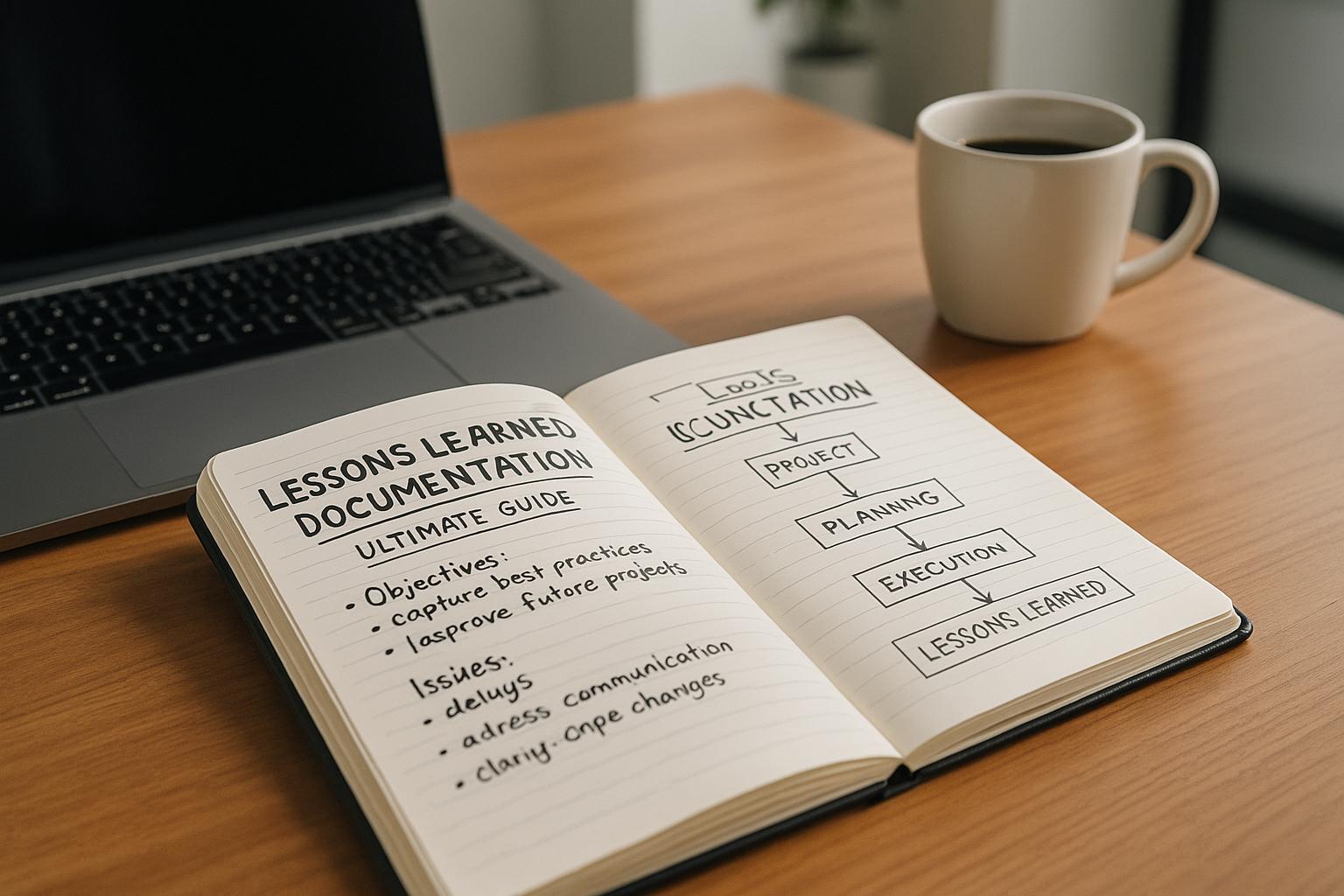
Lessons Learned Documentation: Ultimate Guide
Want to avoid repeating mistakes and improve future projects? Lessons learned documentation helps you capture insights from past experiences - what worked, what didn’t, and what can be done better next time. It’s a structured way to turn project results into actionable knowledge that saves time, reduces errors, and improves outcomes.
Key Takeaways:
- What it is: A systematic process to document successes, challenges, and actionable insights during and after a project.
- Why it matters: Helps avoid repeated mistakes, improve processes, and onboard new team members faster.
- How to do it:
- Record lessons in real time to preserve details.
- Organize insights by categories like scope, budget, or quality for easy access.
- Involve all stakeholders for a complete picture.
- Use templates for consistency and focus on improving processes, not blaming individuals.
Tools to Simplify the Process:
- Centralized storage: Platforms like SharePoint keep all lessons in one place.
- Real-time capture: Tools like malife let you quickly record and organize insights using voice commands.
By documenting lessons effectively, you ensure that every project - success or failure - becomes a stepping stone for improvement.
Key Components of a Lessons Learned Process
Developing a lessons learned process that works requires a clear and structured approach. The goal? To capture insights as they happen, keep them organized for future use, and ensure every voice is heard. Here’s a closer look at the three core elements that make this process effective.
Recording Insights Throughout the Project
Capturing lessons as they unfold is crucial. Why? Because memory fades, and details slip away faster than you’d think. Documenting lessons in real time ensures that important context and specifics are preserved while they’re still fresh.
Think about it: when something goes right - or wrong - during a project, the details are vivid in the moment. Wait a few months to document it, and suddenly, those details are fuzzy or forgotten. That’s why many organizations adopt a two-step process: they record key information immediately after significant events, then revisit it later for deeper reflection once emotions have settled. This approach strikes a balance between capturing raw details and drawing meaningful conclusions.
The benefits go beyond just better documentation. Recording lessons in real time allows teams to apply those insights while the project is still underway. This means they can make adjustments and solve problems earlier, rather than waiting until the next project to put lessons into practice. Spotting patterns early can speed up problem-solving and improve outcomes.
Tools like malife make this process even easier. For instance, malife’s voice capture feature allows users to quickly record observations without interrupting their workflow. Just speak your thoughts, and the AI organizes the information for you. This reduces the friction of note-taking and increases the likelihood that lessons are recorded when they matter most.
Organizing Lessons for Easy Access
Capturing insights is just the first step. If those lessons aren’t easy to find later, their value is lost. That’s why a well-organized system is essential.
A practical way to organize lessons is by functional areas such as scope management, schedule management, budget management, and more. This structure helps teams quickly locate relevant insights without getting bogged down in unrelated information.
Some organizations take it a step further by introducing a "lesson of the week." This highlights valuable insights and their applications, keeping lessons top-of-mind and transforming them into actionable knowledge.
Centralized digital storage is another key factor. By keeping lessons in a shared, accessible repository, organizations ensure that valuable knowledge isn’t lost when team members leave. A dual system - combining a main repository for strategic insights with a tactical tracker for immediate problem-solving - can make navigation and application even easier.
For smaller teams or personal use, malife offers an intuitive organization system. You can sort lessons by Life Areas, Projects, and Tasks. For example, you might create a "Work" area, log lessons under specific project names, and track them as tasks or notes. Features like a powerful search tool (⌘+F) and a visual Kanban board make it simple to retrieve insights and monitor which lessons have been applied.
Including Input from All Stakeholders
If you only document management’s perspective, you’re missing out on critical insights. Gathering input from all stakeholders ensures a more complete understanding of what happened and why . Every voice matters, from frontline team members to upper management.
When stakeholders contribute, they not only help identify growth opportunities but also see how their work fits into the bigger picture. This creates a culture where learning becomes an integral part of the workflow rather than just another task.
To gather diverse perspectives, many teams use facilitated meetings - often called post-mortems. These sessions encourage retrospection and consensus-building, ensuring that documented lessons reflect shared experiences rather than isolated opinions .
Creating a safe environment for feedback is essential. When people know they won’t be blamed for mistakes, they’re more likely to share honestly. Instead of pointing fingers, focus on process improvements. For example, rather than saying, "John missed the deadline", frame it as, "Our deadline tracking process needs improvement." This approach encourages constructive feedback and fosters a culture of continuous learning.
Best Practices for Documenting Lessons
Turning lessons into actionable insights requires effective documentation. The difference between a lessons learned register that collects dust and one that drives real improvements lies in how the information is recorded. The following practices build on earlier discussions about capturing and organizing insights.
Using Templates for Consistency
Templates are a great way to standardize documentation and make it easier to compare lessons across projects. When everyone uses the same format, lessons become easier to search, understand, and apply to future efforts.
A well-designed template should capture the context, actions, outcomes, and insights of each lesson. This structure creates a clear narrative that informs future decisions. Key sections might include measurable data about project performance, whether the lesson pertains to a success or failure, and the area impacted - such as scope, timeline, budget, or quality. Every entry should answer these critical questions: Why did it succeed or fail? What will change next time? Who will follow up?
To make lessons easier to retrieve, organize them into categories like Scope and Requirements Management, Schedule Management, Budget Management, Quality Management, Issues and Risks Management, and more. For instance, if a project manager is starting a new initiative, they can quickly find relevant insights without sifting through unrelated information.
When everyone uses a consistent format, patterns and trends naturally emerge across projects, making it easier to spot recurring challenges or successful strategies.
For smaller teams or personal use, similar template-based organization can be achieved through tools like malife, which structures lessons around Life Areas and Projects.
Focusing on Processes, Not People
Effective lessons learned documentation emphasizes improving processes rather than critiquing individual performance.
The goal is to enhance systems, not assign blame. For example, instead of saying, “John missed the deadline,” good documentation might note, “The deadline estimation process underestimated resource availability”. The first approach creates a defensive atmosphere, while the second opens the door to constructive change.
Framing lessons around what happened and how the process can improve fosters a safer environment for honest reporting. Team members are more likely to share insights when they know the focus is on learning and improvement rather than assigning fault.
Process-focused documentation also generates more meaningful insights. While individual performance issues are isolated events, process-level improvements can benefit the entire organization. For example, identifying unclear procedures, inadequate tools, or communication breakdowns highlights opportunities to prevent similar issues in future projects.
Actionable items like updating workflows, enhancing training programs, or refining scheduling methods create lasting value. These improvements go beyond addressing one-off mistakes and contribute to organizational growth.
Even the phrasing you use matters. Instead of blaming, “The designer delivered files in the wrong format,” try, “Our file format specifications weren’t clearly communicated during the project kickoff.” This shift in language identifies a process gap that can be fixed moving forward.
Recording Both Successes and Failures
To build a complete knowledge base, it’s essential to document both what went well and what didn’t.
Recognizing and replicating successful practices can significantly improve efficiency and outcomes. When you capture the factors behind both successes and failures, you create a resource that helps teams replicate positive outcomes and avoid repeating mistakes.
A balanced lessons learned format should address three key areas: what worked well, what needs improvement, and what new approaches should be tried. This approach not only highlights areas for growth but also reinforces what the team did right, boosting morale and fostering professional development.
For example, if a project came in under budget and ahead of schedule, it’s important to understand why. Was it a new communication tool that streamlined updates? Or perhaps a different approach to stakeholder management? These insights are just as valuable - if not more so - than documenting failures.
Organizations that focus solely on failures risk creating a punitive culture where people feel discouraged from contributing to the lessons learned process. On the other hand, celebrating and analyzing successes alongside failures motivates team members to participate more openly.
When brainstorming lessons learned, ask three simple questions: What went right? What went wrong? What could be improved?. This framework encourages balanced documentation and ensures no valuable insights are overlooked.
It’s best to document lessons immediately after a project wraps up or at the end of major phases while details are still fresh in everyone’s minds. Use surveys and live brainstorming sessions to gather input from all stakeholders, allowing for collaborative discussions that expand on initial insights.
The end result? A comprehensive knowledge base that not only helps teams avoid pitfalls but also guides them to repeat successes. This is the foundation for continuous improvement.
Tools and Systems for Managing Lessons Learned
The right tools can turn lessons learned from static notes into actionable knowledge. While templates and processes provide structure, digital platforms determine whether these insights become accessible resources or just forgotten files.
Using Digital Platforms for Centralized Storage
One of the biggest challenges in managing lessons learned is scattered information. When insights are spread across project folders, email threads, or personal notes, they’re often as good as lost. Centralized storage solves this by making everything easy to find in one place.
Platforms like SharePoint excel at centralizing lessons for easy access. Teams can add entries as they arise, creating a live log of insights rather than waiting until the project wraps up. This approach ensures that anyone starting a new project can quickly search the repository and find relevant lessons without digging through multiple sources.
But centralizing isn’t just about dumping files into a shared folder. A good platform organizes lessons with clear categories like scope management, budgeting, scheduling, quality issues, and stakeholder management. This structure allows project managers to filter and retrieve exactly what they need - like budget-related lessons - without wading through irrelevant details.
A complete system should include two key components: a main repository for documented insights and a tracker for resolving issues, risks, and defects. The repository stores the lessons, while the tracker ensures follow-up actions are monitored and implemented. This setup ensures that lessons don’t just sit in a file - they lead to meaningful changes.
For smaller teams or individuals managing both work and personal projects, platforms that organize information by Life Areas offer a similar structure. For example, malife organizes lessons around areas like Work, Health, Relationships, and Finances, providing a clear overview of where insights have been captured and what still needs attention.
However, even the best repository can become a mess if it’s not maintained. Organizations should conduct quarterly audits to remove outdated or irrelevant information. Without regular cleanups, even centralized systems can become cluttered and ineffective.
Once a centralized system is in place, capturing insights in real time becomes the next priority.
Real-Time Recording with Productivity Tools
Timing is everything when documenting lessons learned. The longer you wait to record an insight, the more details fade, reducing the accuracy of your documentation. Real-time recording tools solve this issue by making it easy to capture insights immediately.
Traditional methods often involve extra steps - like filling out forms or writing reports - that delay documentation. These delays often mean insights are forgotten altogether. Tools that simplify this process see higher participation rates and better-quality documentation.
For instance, voice capture eliminates the need for manual entry. Tools like malife use natural voice recognition to make this even easier. You can simply say, “Call tax advisor tomorrow for finances, high priority,” and the system will automatically categorize and organize the task. The same applies to lessons learned - you can document insights on the go without needing to stop and write formal entries.
A two-step documentation strategy enhances this process. First, capture critical details immediately through voice notes or quick forms. Then, during scheduled review sessions, refine these notes with deeper analysis. This method balances the immediacy of real-time recording with the perspective gained from reflection.
Real-time recording also integrates lessons learned into the entire project lifecycle - not just the closure phase. By embedding documentation into kickoff meetings, status updates, and closeouts, teams make it a natural part of their workflow. This approach captures not just what happened but also the context, alternatives considered, and reasoning behind decisions. These richer details provide more actionable guidance for future projects.
Connecting Lessons with Life and Work Organization
The value of lessons learned increases when they’re integrated into your broader organizational system. This ensures insights aren’t just archived - they actively inform decisions when it matters most.
Organizing lessons by Life Areas or project categories creates a structured system that aligns insights with specific goals. Grouping related lessons helps identify recurring patterns or systemic issues. For instance, if multiple projects in the same area highlight resource constraints, this pattern becomes both visible and actionable.
malife uses a Life Areas framework to structure lessons. When you document an insight in a specific area, it automatically links to related goals, projects, and tasks. This seamless integration ensures that your insights remain relevant and accessible when planning related work.
A hierarchical structure - like Life Areas → Projects → Tasks - enables you to store broad lessons at the area level, project-specific insights at the project level, and detailed observations at the task level. This organization ensures you can access the right level of detail for any planning need.
Turning lessons into actionable tasks bridges the gap between documentation and implementation. For example, when you identify a potential improvement, you can immediately create a task, assign it a priority, and set reminders to follow through. This ensures lessons don’t just sit in a file - they lead to real changes.
Additional features like Kanban boards (e.g., To-Do, In Progress, Done) and keyboard shortcuts make managing insights even easier. By converting lessons into tasks without switching platforms, this integrated approach ensures that insights drive meaningful action.
When lessons learned documentation is part of your regular workflow, it becomes a practical tool rather than just an administrative task. Whether you’re planning your week or setting new goals, past insights guide your decisions exactly when you need them.
For organizations, the key is simple: connect documentation to your actual workflow. Store lessons in categories that align with your structure, and review them at project kickoff - not just at closure. The closer your system mirrors how you work, the more effectively those lessons will shape future outcomes.
Applying Lessons to Future Projects
Documentation only matters when it leads to action. The true benefit of lessons learned lies in how teams use those insights to shape future efforts. This involves transforming observations into specific changes, weaving those changes into planning processes, and keeping track of whether they actually lead to better results. The goal? Turning insights into real-world improvements.
Turning Lessons into Action Items
There's often a big gap between writing down a lesson and turning it into change. Vague notes like "communication could be better" don't go far. But a clear action, such as "start daily 15-minute stand-ups in the next project phase”, provides a concrete path forward.
Every lesson should lead to at least one actionable step, and that step needs three key elements: a clear goal, someone responsible for it, and a deadline. For instance, instead of just noting "poor resource planning caused delays", you could create an action item like, "Complete a resource capacity analysis two weeks before project kickoff, with 95% accuracy in forecasts”. This level of detail ensures lessons translate into meaningful change.
For action items to be effective, they need to be measurable. If scope creep caused budget overruns, your action might be: "Introduce a written approval process for all scope changes, requiring sign-off within 48 hours”. Specificity like this bridges the gap between identifying a problem and solving it.
For those juggling work and personal projects, tools that streamline this process can be game-changers. Take malife, for example. You can instantly create a task from a lesson using voice commands. Just say, "Schedule resource planning meeting two weeks before the next project begins, high priority", and malife slots it right into your workflow. This seamless integration ensures lessons don’t just gather dust - they become actionable steps in your daily routine.
A two-step approach works well here: capture the action immediately, then fine-tune it during regular review sessions. This strikes a balance between acting quickly and planning thoughtfully.
Using Lessons for Risk Management and Planning
Lessons learned aren’t just about individual tasks - they’re also invaluable for managing risks. Documenting past challenges creates a database of potential pitfalls to watch out for. This shifts risk management from guesswork to data-backed planning.
When kicking off a new project, managers should revisit lessons from similar past efforts to update risk registers. For example, if a previous project noted that "vendor delays consistently caused 2-3 week setbacks", that risk can be flagged early, prompting preventive measures. Similarly, lessons about what worked - like "weekly vendor check-ins reduced delivery delays by 40%" - can be applied as best practices for future projects.
Organizing lessons by categories like scope, budget, schedule, quality, and stakeholder management makes it easier to review relevant insights. For personal projects, malife’s Life Areas feature allows you to filter lessons by Work or other areas, ensuring you focus on the most applicable insights.
Tracking How Lessons Are Implemented
Capturing and planning mean little without follow-through. It’s critical to ensure that lessons are applied and to measure their impact on future outcomes.
Tracking progress involves two types of metrics. Adoption metrics measure whether lessons are being used - like how many projects review past insights during planning or how many action items are completed on time. Impact metrics focus on results, such as fewer recurring issues, faster project timelines, cost savings, or better quality.
Regular check-ins, like status updates or phase-gate reviews, help confirm that changes are addressing the original problems. Quarterly audits of the lessons repository can keep it relevant by spotlighting high-impact insights and retiring outdated ones.
For personal task management, tools like malife simplify this tracking. The Kanban board feature lets you visually track tasks as they move from To-Do to In Progress to Done. You can also set recurring reminders for ongoing actions - like "Review project budget weekly" or "Send stakeholder updates every Friday." malife’s journal feature adds another layer, letting you reflect on which lessons have been successfully applied, reinforcing a cycle of improvement.
At the end of the day, the success of your lessons learned process boils down to one question: Are you making better decisions because of what you’ve captured? When lessons evolve into actions that improve outcomes, you know your system is working.
Conclusion: The Value of Continuous Improvement
Documenting lessons learned takes project experiences and turns them into actionable insights. This process helps prevent repeating mistakes, speeds up project timelines, and builds a knowledge base that can benefit the entire organization.
By following the core elements and practices discussed earlier, organizations can use effective documentation as a tool for ongoing improvement. Capturing lessons in real time and reviewing them at critical project stages ensures more knowledge is retained compared to waiting until the project ends. This shifts lessons learned from being a mere formality to becoming a strategic asset that drives measurable gains in project efficiency.
For documentation to make a difference, it must be both accessible and actionable. Digital tools with organized categories - like scope, schedule, budget, quality, and stakeholder management - make it easier to find relevant insights when needed. Regular reviews, such as quarterly audits, ensure repositories remain up-to-date by spotlighting impactful lessons and removing outdated ones. Most importantly, tracking the implementation of action items ensures that documented insights lead to real improvements.
This approach isn’t just for organizations - it can also help individuals manage their professional and personal projects more effectively. Tools like malife simplify this by using voice capture to instantly record insights into specific Life Areas. Features like a Kanban board and journal make it easier to track and act on lessons. By organizing lessons across areas like Work, Health, Relationships, Finances, and Personal Growth, individuals can gain a clear picture of what’s working and what needs attention.
As discussed earlier, integrating lessons into daily workflows turns documentation from a reactive task into a proactive tool for growth. Continuous improvement through lessons learned fosters a culture where every experience - whether a success or failure - contributes to building collective knowledge. When documentation becomes second nature rather than an afterthought, knowledge evolves into a continuously growing resource. The real question isn’t whether to document lessons learned - it’s whether you can afford not to.
FAQs
How can I make sure lessons learned are applied to future projects?
To make sure lessons from past projects are put to good use in the future, start by documenting them in a straightforward and organized way. Highlight the major wins, challenges faced, and practical takeaways from previous experiences. Share this documentation with your team and incorporate it into your project planning process.
You might find tools like malife particularly helpful for managing and applying these insights. With features like Life Areas and Projects, malife allows you to stay organized and focused, making it easier to prioritize and implement lessons learned. This approach helps you improve results over time while steering clear of repeating past mistakes.
How can I effectively involve all stakeholders in the lessons learned process?
To bring everyone on board during the lessons learned process, start by laying the groundwork with clear communication. Let stakeholders know why this process matters and how their feedback will shape future decisions. Setting expectations upfront ensures everyone understands their role and the value of their input.
Create an environment where people feel at ease sharing their thoughts - whether they’re highlighting successes or pointing out challenges. Tools like surveys, interactive workshops, or online collaboration platforms can make collecting feedback more streamlined and inclusive. Having a dedicated facilitator can also help steer discussions and keep things on track.
Once feedback is gathered, organize the insights into a clear, structured format. Share the findings with all involved to promote transparency and show that their contributions are being taken seriously.
How can digital tools simplify documenting and applying lessons learned?
Digital tools like malife simplify the process of documenting and applying lessons with features designed for ease and efficiency. For instance, its voice capture allows for quick task entry and organization, saving time while keeping everything in order. The app's Life Areas feature lets you neatly categorize insights, and persistent reminders help ensure you act on key takeaways.
The app also includes a Kanban-inspired workflow, offering a clear visual layout of your priorities. This setup encourages reflection on your experiences and helps you focus on what’s most important. Additional tools, like a focus timer and an impact/effort prioritization system, further streamline productivity, making it easier to learn from your experiences and put those lessons into action.