
Eisenhower Matrix: Daily Priority Setting Guide
Eisenhower Matrix: Daily Priority Setting Guide
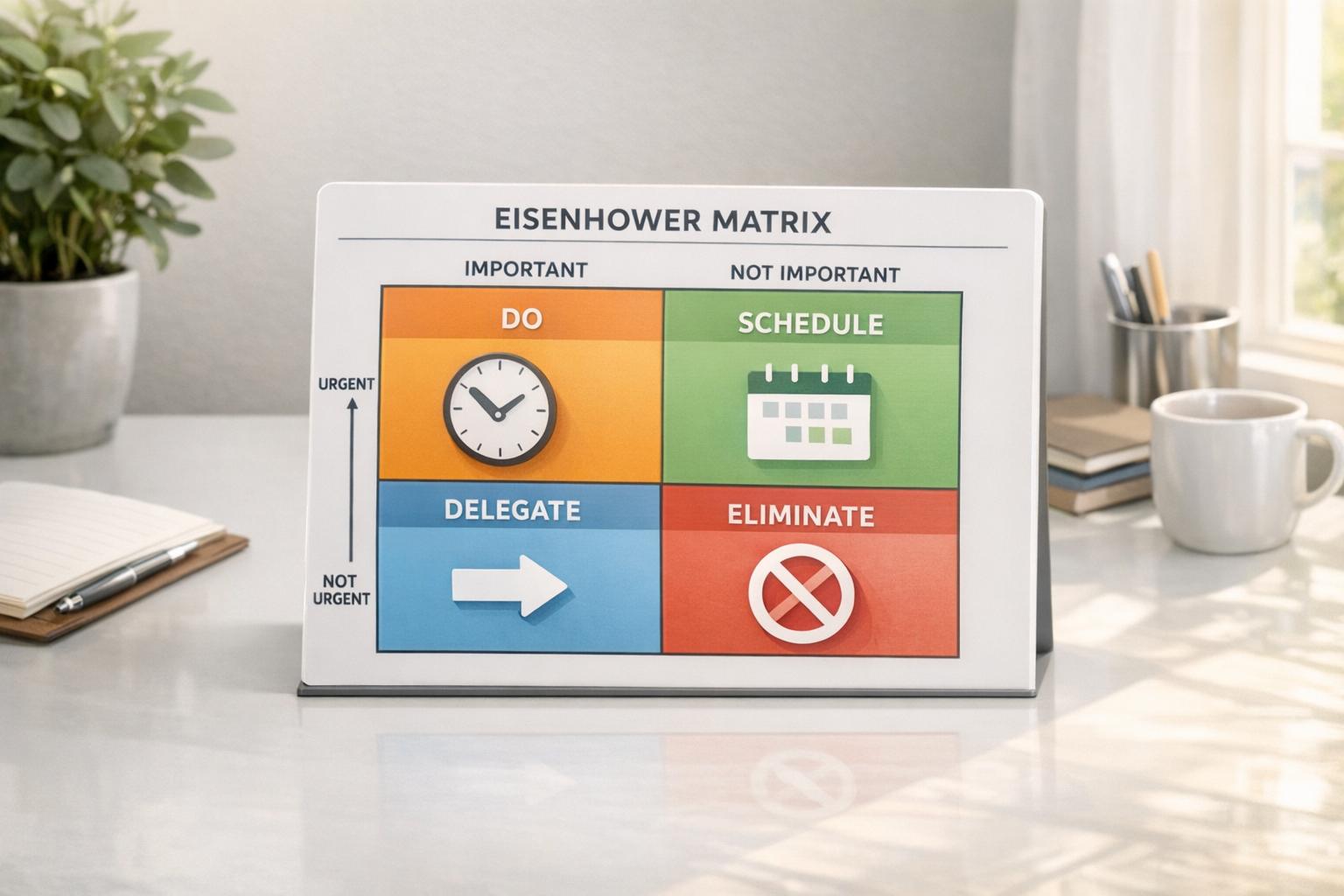
Struggling to manage your daily tasks effectively? The Eisenhower Matrix is a simple tool to help you prioritize what truly matters by sorting tasks into four categories: urgent/important, important/not urgent, urgent/not important, and neither. This method, inspired by President Eisenhower, helps you focus on long-term goals instead of constantly reacting to immediate demands.
Here’s how to use it:
- List all your tasks: Start by writing everything down.
- Sort by urgency and importance: Assign tasks to the right quadrant.
- Take action:
- Urgent & Important: Handle immediately.
- Important & Not Urgent: Schedule these for later.
- Urgent & Not Important: Delegate or complete quickly.
- Neither: Eliminate distractions.
The Eisenhower Matrix combats the "Mere-Urgency Effect", where we prioritize urgent tasks over meaningful ones. Tools like malife can enhance this process with features like task organization, reminders, and priority mapping. Focus on what drives progress, not just what feels pressing.
Eisenhower Matrix 4 Quadrants Priority Framework
How to Use the Eisenhower Matrix Daily
You can use the Eisenhower Matrix in just three simple steps each morning to organize your day and sharpen your focus.
Step 1: Write Down All Your Tasks
Start your day with a brain dump. Write down all the tasks - both work and personal - that you need to tackle today. This process clears your mind and gives you a full picture of your responsibilities. Do this before diving into emails or other distractions. Keep your list broad and manageable. For instance, instead of listing each email separately, group them under something like "Review and respond to emails". Once you’ve written everything down, take a moment to review your list. Then, get ready to sort these tasks by their urgency and importance.
Step 2: Sort Tasks by Urgency and Importance
Go through your list and assign each task to one of the four quadrants of the Eisenhower Matrix. Urgency refers to tasks that require immediate action - those with tight deadlines or pressing consequences. Importance, on the other hand, is about the task’s long-term value. Ask yourself questions like: “Does this task contribute to my key goals?” or “What happens if I don’t do this today?”. Be cautious not to prioritize tasks just because they have a looming deadline; focus instead on what truly aligns with your bigger objectives.
Step 3: Act on Each Quadrant
Once your tasks are sorted, it’s time to act. Here’s how to handle each quadrant:
- Do First (Quadrant 1): These tasks are both urgent and important. Tackle them immediately or at least by the end of the day.
- Schedule (Quadrant 2): These are important but not urgent. Set aside specific times on your calendar to work on them. Prioritizing these tasks helps you achieve long-term goals and prevents them from becoming last-minute crises.
- Delegate (Quadrant 3): Urgent but less important tasks should be delegated if possible. If you can’t delegate, aim to complete them quickly or find ways to automate them.
- Delete (Quadrant 4): These tasks don’t add value - they’re neither urgent nor important. Simply remove them from your list to avoid unnecessary distractions.
To stay productive, limit yourself to a maximum of 7 or 8 tasks per quadrant. It’s far better to focus on a handful of impactful tasks than to get overwhelmed by a lengthy to-do list.
Understanding the 4 Quadrants
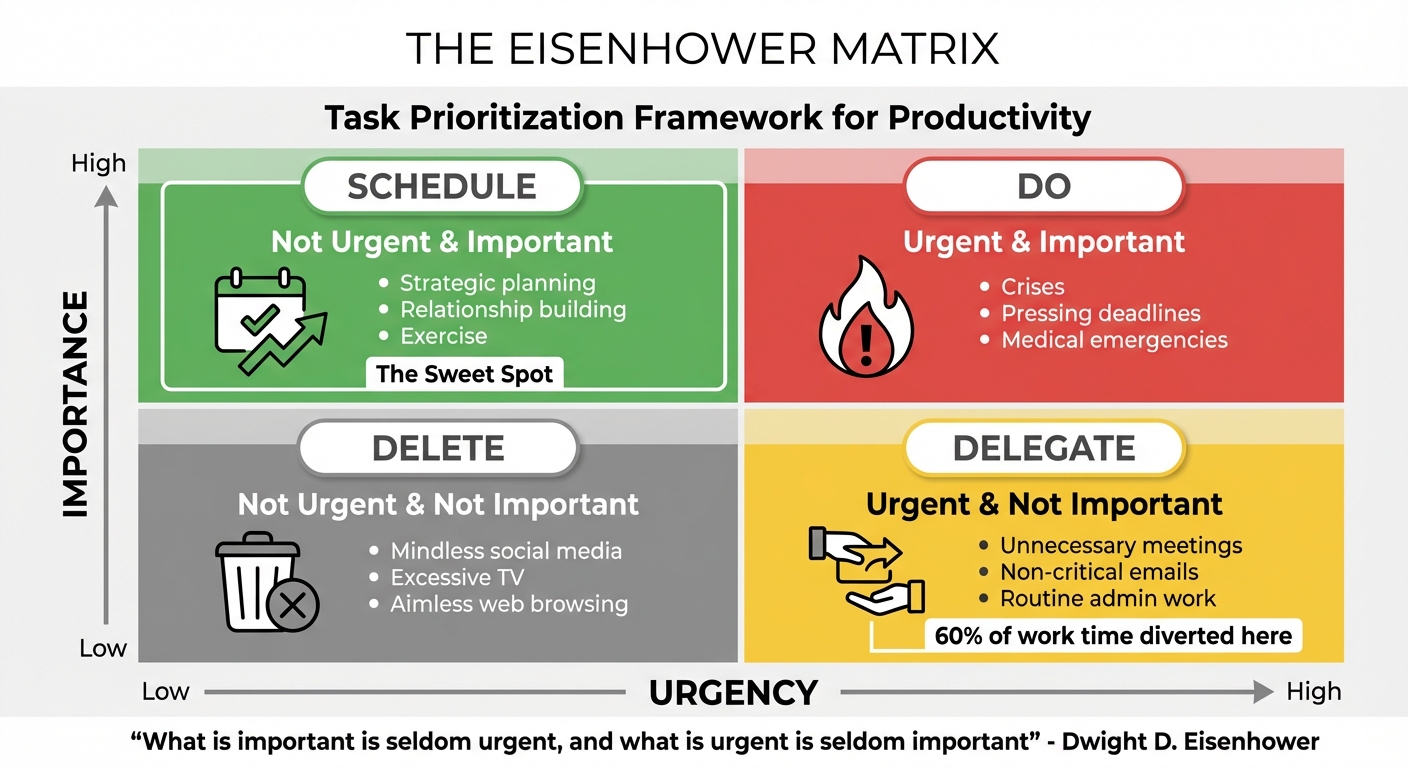
The Eisenhower Matrix breaks down tasks into four categories based on two key factors: urgency (does it need immediate attention?) and importance (does it contribute to your long-term goals?). Knowing where your tasks fall helps you focus on what truly matters. Here's a closer look at each quadrant:
Quadrant 1: Do First (Urgent and Important)
Quadrant 1 is for tasks that are both urgent and crucial. These require immediate attention and can have serious consequences if ignored. Think of emergencies, critical deadlines, or last-minute client requests. While these tasks demand action, spending too much time here can leave little room for proactive planning, which is essential for reducing future crises.
Quadrant 2: Schedule (Important but Not Urgent)
Quadrant 2 includes tasks that are vital for long-term success but don't feel pressing right now. Activities like strategic planning, nurturing relationships, learning new skills, or maintaining regular exercise fall into this category. The challenge? These tasks often get sidelined because they lack urgency. To avoid this, intentionally schedule them into your calendar. Doing so helps prevent them from turning into emergencies later.
Quadrant 3: Delegate (Urgent but Not Important)
In Quadrant 3, you'll find tasks that may seem pressing but don't significantly impact your goals. These include interruptions like unnecessary meetings, non-critical emails, or routine admin work. Research on the "Mere-Urgency Effect" suggests that people often prioritize tasks with immediate deadlines, even if they're low-value, leading to up to 60% of work time being diverted from more meaningful efforts. To reclaim your focus, delegate, automate, or handle these tasks during less productive periods.
Quadrant 4: Delete (Neither Urgent nor Important)
Quadrant 4 is home to time-wasters - activities that feel satisfying in the moment but offer little long-term value. Examples include endless social media scrolling, binge-watching TV, or organizing emails to avoid more meaningful work. These tasks often serve as procrastination tools. As Tim Ferriss aptly puts it:
"Being busy is a form of laziness - lazy thinking and indiscriminate action".
The best approach? Eliminate these distractions entirely. Before committing to any task, ask yourself, "Does this help me achieve my goals?" If the answer is no, it's time to let it go.
| Quadrant | Category | Action | Typical Examples |
|---|---|---|---|
| Q1 | Urgent & Important | Do | Crises, pressing deadlines, medical emergencies |
| Q2 | Not Urgent & Important | Schedule | Strategic planning, relationship building, exercise |
| Q3 | Urgent & Not Important | Delegate | Unnecessary meetings, non-critical emails, routine admin work |
| Q4 | Not Urgent & Not Important | Delete | Mindless social media, excessive TV, aimless web browsing |
Using the Eisenhower Matrix with malife
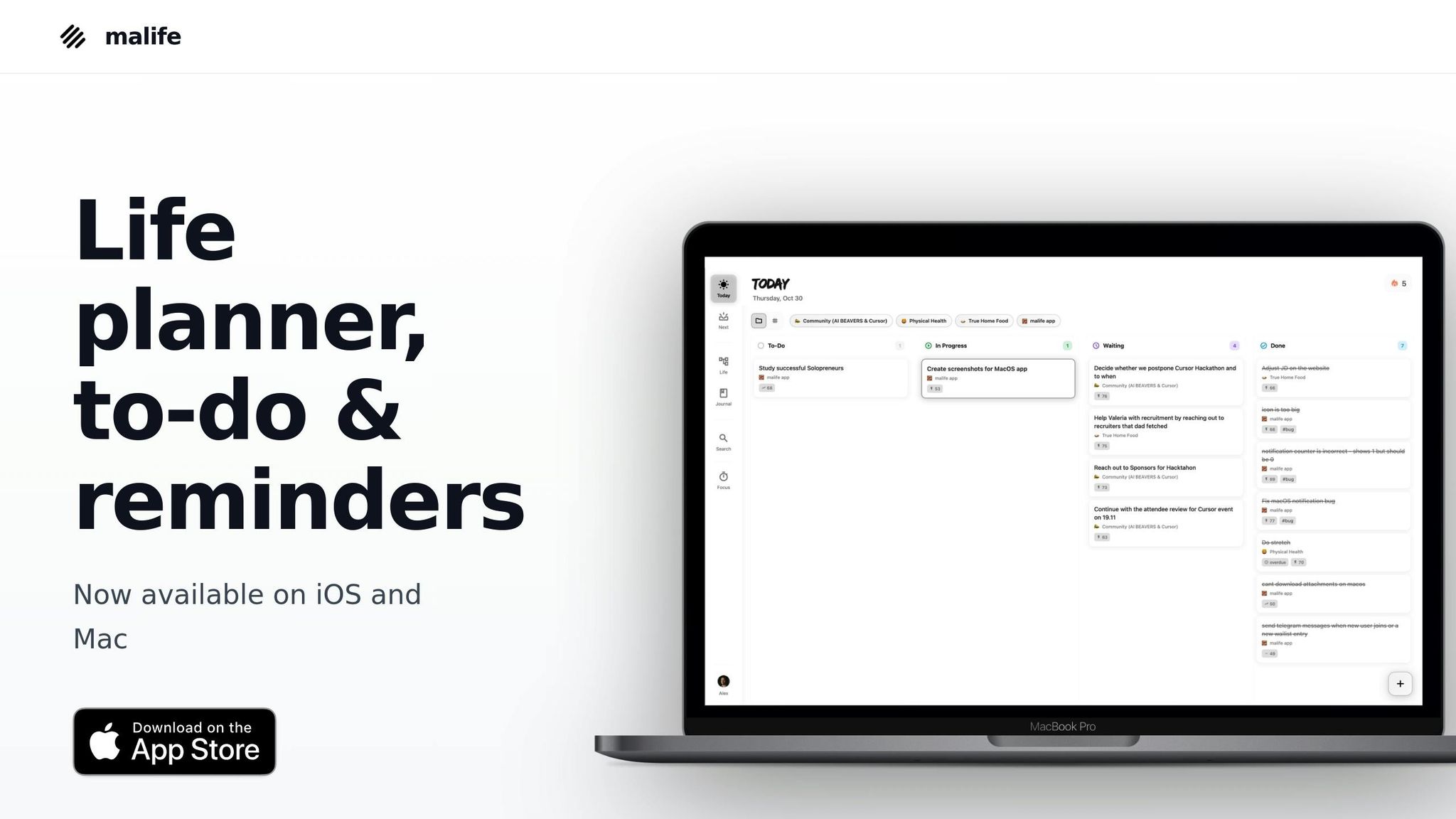
malife simplifies how you capture tasks, set priorities, and follow through, making it easier to stay on top of everything. Let’s explore how malife’s features align perfectly with the principles of the Eisenhower Matrix.
Using Impact/Effort Priority Mapping
malife’s Impact/Effort prioritization is designed to work hand-in-hand with the Eisenhower Matrix. It evaluates tasks based on their impact (how much they contribute to your long-term goals) and the effort required to complete them. This approach helps you avoid falling into the "Mere-Urgency Effect", which prioritizes urgency over importance, by highlighting tasks that offer real long-term value.
Here’s how it breaks down:
- High Impact/Low Effort: These are your Quadrant 1 “quick wins.” Get these done right away.
- High Impact/High Effort: These belong in Quadrant 2. Schedule these critical projects to prevent last-minute crises.
- Low Impact/Low Effort: Typically, these fall into Quadrant 3. Batch these for low-energy moments or delegate them when possible.
- Low Impact/High Effort: These are often time-draining tasks. Eliminate or archive them to keep your task list clean.
As Stephen Covey wisely said:
"Quadrant 2 is the sweet spot of personal time management. This is the spot where you are focused not on problems... but on opportunities and growth".
malife’s Impact/Effort view keeps this "sweet spot" front and center, helping you focus on tasks that truly drive progress rather than just reacting to what feels urgent.
Organizing Tasks by Life Areas
Prioritization is essential, but so is organization. Combining work deadlines, family obligations, health goals, and personal projects in one list can quickly overwhelm your Eisenhower Matrix. malife’s Life Areas feature solves this by letting you categorize tasks into distinct areas like work, health, family, finances, or personal growth. This separation gives you a clear picture of where your time is going and what might need more attention.
By organizing tasks this way, you can see if you’re spending too much time on urgent work items while neglecting important activities in other parts of your life. Keeping these areas separate reduces mental clutter and helps you maintain a balanced focus on both professional and personal priorities.
Using Persistent Reminders and Voice Capture
Quadrant 2 tasks - those that focus on long-term goals - can easily slip through the cracks. malife’s persistent reminders ensure these tasks stay visible and top of mind. With quick scheduling options like +10m, +1h, or +1d and customizable repeat settings, you can make sure that key activities like strategic planning, relationship building, and personal development don’t get endlessly delayed.
malife also makes task capture seamless with its voice capture feature. Whether you’re driving, cooking, or in a meeting, you can simply speak your tasks into the app. This ensures you don’t lose track of ideas as they come to you, and later, you can sort them into their appropriate quadrant to refine your priorities.
These tools work together to keep your Eisenhower Matrix up-to-date and actionable. As new tasks arise throughout the day, malife helps you capture, prioritize, and schedule them without breaking your flow. This way, you stay focused on what truly matters.
Conclusion
The Eisenhower Matrix offers a straightforward way to turn daily chaos into manageable priorities by helping you separate the urgent from the important. As Dwight D. Eisenhower wisely put it:
"What is important is seldom urgent, and what is urgent is seldom important".
This simple framework encourages you to step away from the constant rush of deadlines and focus on tasks that truly matter in the long run. It’s a tool that helps you escape the trap of always reacting and instead lets you work on what drives meaningful progress.
When paired with malife, the matrix becomes even more effective. Malife’s features - like Impact/Effort mapping, Life Areas, and persistent reminders - keep you connected to your priorities. You can easily stay focused on Quadrant 2 tasks, manage multiple responsibilities, and ensure nothing important gets overlooked. With voice capture, you can quickly add tasks on the go, making it easier to stay organized no matter where you are. Together, the Eisenhower Matrix and malife help align your daily actions with your bigger goals.
The key to success lies in consistency. By using the matrix daily alongside malife, you can streamline your workflow and focus on what truly matters. Start by jotting down all your tasks, sort them into the appropriate quadrants, and let malife handle the rest. Dedicate time to high-value Quadrant 2 activities and build a routine that prioritizes meaningful progress over busywork. The goal isn’t to pack more into your schedule - it’s to ensure your efforts are aligned with your long-term aspirations.
FAQs
How can the Eisenhower Matrix help me achieve long-term goals?
The Eisenhower Matrix is a practical tool for aligning your daily tasks with your long-term objectives by sorting them into four distinct categories: Urgent & Important, Not Urgent & Important, Urgent & Not Important, and Not Urgent & Not Important. Most long-term goals land in the Not Urgent & Important quadrant, which nudges you to focus on meaningful, strategic activities rather than just reacting to immediate pressures.
By dedicating time to this quadrant, you can break down big goals into smaller, actionable steps and integrate them into your daily routine. This method not only keeps you steadily moving forward but also helps reduce procrastination and keeps your larger objectives front and center. Over time, the matrix becomes a guide for cutting through distractions, staying focused, and transforming ambitious goals into achievable, impactful results.
What are some examples of tasks for each quadrant in the Eisenhower Matrix?
The Eisenhower Matrix breaks down tasks into four quadrants, helping you prioritize based on urgency and importance:
- Do (Urgent & Important): These are the tasks you need to tackle immediately, like resolving a work crisis, attending a crucial meeting, or finishing a project with a looming deadline.
- Schedule (Important but Not Urgent): These tasks require planning but aren’t pressing, such as setting long-term goals, preparing for an upcoming presentation, or booking a doctor’s appointment.
- Delegate (Urgent but Not Important): Tasks in this category can be handed off to others, like managing routine emails, scheduling meetings, or handling minor administrative work.
- Delete (Not Urgent & Not Important): These are distractions that don’t add value, like endlessly scrolling social media, watching random videos, or participating in events that don’t matter.
By using this framework, you can focus your energy on what truly needs your attention while cutting out distractions and low-priority activities.
How can I use the Eisenhower Matrix to prioritize my daily tasks effectively?
To make the Eisenhower Matrix part of your daily routine, begin by jotting down all the tasks you need to tackle for the day. Once you have your list, sort each task into one of four categories based on its urgency and importance:
- Urgent & Important: These are the tasks you should tackle right away.
- Not Urgent & Important: Schedule these tasks for a later time.
- Urgent & Not Important: Assign these tasks to someone else, if possible.
- Not Urgent & Not Important: These tasks can be removed from your list entirely.
Start your day by focusing on the Urgent & Important tasks (Quadrant 1). After handling those, carve out time in your schedule for the Not Urgent & Important tasks (Quadrant 2) - these are often the ones that contribute to long-term goals. For tasks in Quadrant 3, decide who can take them off your plate, or reschedule them if necessary. Finally, keep an eye on Quadrant 4 and make it a habit to clear out tasks that don’t add value.
Before wrapping up your day, take a moment to review what you’ve accomplished, note any unfinished tasks to carry over, and plan for the next day. Sticking to this system consistently can help you stay on top of your priorities and focus on what truly deserves your attention.